

It’s Monday morning. You unlock your store, and before you’ve even touched a single device, you are already behind. Four voicemails, three unpaid bills, several tickets to be processed, customers asking for repair updates, and no update on a purchase order you made ages ago.
That’s usually why Mondays are the worst days for you (literally).
This is what ineffective time management in a repair shop actually looks like. It’s not laziness, and it’s not only bad planning but also the fact that every week is structured around doing tasks that generate little to no value, consequently leaving no room for real work, aka repairs.
Several hours are wasted every day on tasks such as searching for information, locating parts, responding to messages, and switching between platforms and diagnostic tools. This is really problematic, especially for small-scale repair stores.
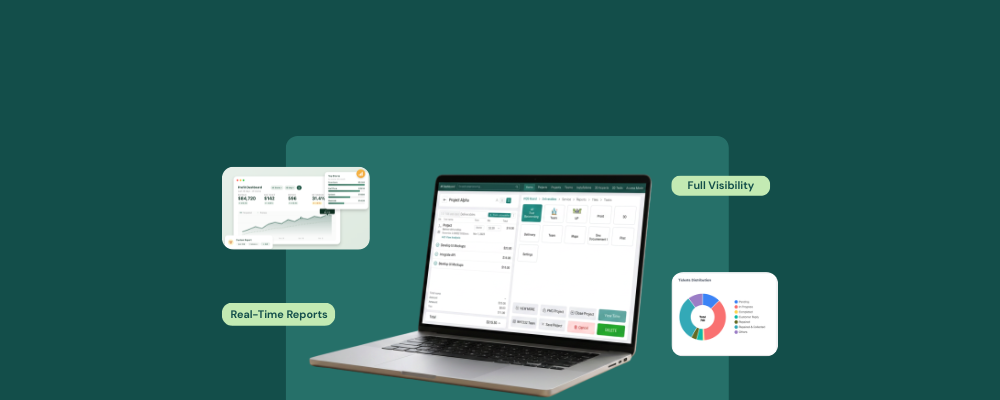
Here is a breakdown of how those hours are typically wasted and what RepairDesk’s repair shop time management software does at each stage to turn them into time focused on more work.
Monday: The Inbox and the Phone Are Already a Mess
By the time you open your store on Monday, the unanswered calls and unsent updates have piled up. Every one of these requires a callback and a status check, and they are responsible for pulling your focus away from repairs before the week’s work has even started.
It is true that several calls land when your hands are full, and an easy way to make sure that never happens, without the need to hire more staff, is to use a 24/7 AI receptionist. RepairDesk’s ARIA does exactly that. It
- Answers inbound calls
- Captures caller details
- Books jobs
- Shares repair ticket updates
- Sends directions to your store
- Keeps a record of every call
By incorporating AI into the repair shop, you will no longer experience the weekend pile-ups that used to eat away hours from your work.
Tuesday: Re-Entering the Same Job More than Once
Think of the scenario. A repair comes in. The fault is noted. The part is pulled, but no update is made to the spreadsheet. The invoice is then typed separately at checkout, pulling the numbers from memory rather than from a documented ticket. That’s over three separate entries for just one job. These three entries create separate chances for the numbers to mismatch, potentially causing issues when the customer pays.
The repair shop time management software captures the device’s fault, technician assignment, and estimated cost, as well as customer details and pre- and post-repair images. Whenever the technician logs the parts consumed against the same ticket, RepairDesk automatically updates the stock and the invoice linked to that ticket as well. Automating the tracking, ticketing, and invoicing into a single process is one of the most vital steps a repair shop can and should take to reduce the time spent on administrative tasks, which can contribute to better financial management.
Wednesday: Counting Stock by Hand
Midweek, mid-repair, you reach for a screen, and the shelf is empty. So you stop, check what else is running low, and then spend countless hours cross-checking every part.
The repair? Oh, it’s sitting on the shelf waiting for parts now.
RepairDesk inventory management ensures that every item in your inventory is accurate. The software
- Tracks stock quantity per SKU in real time
- Deducts parts the moment they are used in a ticket
- Fires a low stock alert
- Creates an automatic purchase order
Automating the inventory removes admin work and prevents delays, billing mistakes, scams, and false accusations.
Thursday: Chasing the Same Update Across Four Platforms
A customer drops a DM on Facebook. Another calls directly. A third sends an email asking about their estimate. None of these conversations live in the same place, so missing out on replies and keeping track of who said what means checking all the apps throughout the day instead of just one.
RepairDeskConnect combines SMS, email, and social messages into a single unified inbox within the POS. Every conversation is logged against the customer’s repair ticket. With 40+ integrations, the repair store owner can easily save time and spend it on repair and growth.
Friday: The Reconciliation That Never Adds Up
By the end of the week, you are trying to figure out what actually got billed, what’s still outstanding, and whether the receipts match the cash register. When billing is not linked to the ticket that generated it, you have to cross-check the invoice by hand, which wastes time.
RepairDesk generates customer invoices directly from the ticket, with all labor and parts costs automatically added. The tax and warranty information is also included. You can generate daily, weekly, and monthly reports from the same data, which gives you complete business insight.
Time to Prevent the Weekly Hassle on Repeat
All of these time-consuming activities silently take away more than 10 hours of your day. However, with the right repair shop time management software, jobs that get delayed, tickets that go missing, and bills that are miscalculated can be managed without spending thousands of dollars fixing them.
FAQs
1. I am a solo repair store owner. Will this time management software help me?
Yes. The software is designed to support solo repair store owners. It is configured by an onboarding specialist, who sets up ARIA, automated notifications, tickets, and inventory details during the initial setup. Several solo operators can run the full software within days.
2. How can I know which admin tasks are costing me the most time without manually tracking everything?
RepairDesk’s reporting module provides detailed reports on sales, marketing, customers, inventory, billing, and tickets. By reviewing the data through these quantitative reports, you will be able to easily identify the problematic patterns.


