

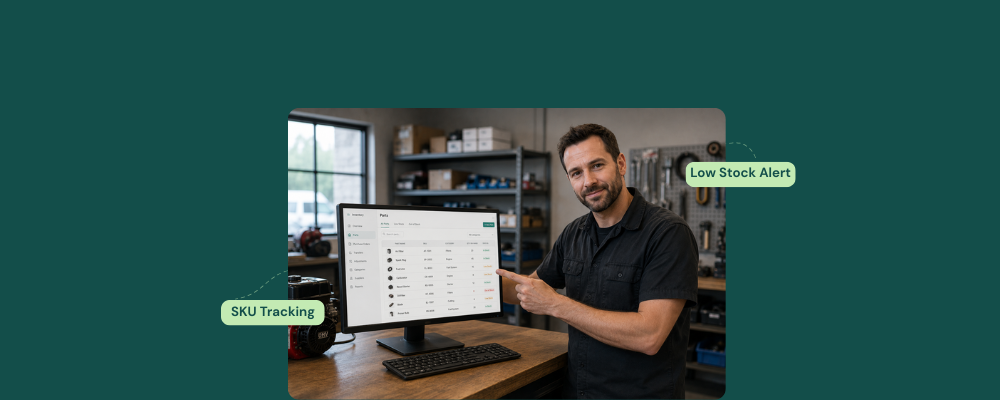
An owner runs a small engine repair shop. He repairs lawnmowers, chainsaws, generators, and other devices. His inventory consists of several different parts, big or small, like plugs, carb kits, belts, pull cords, air filters, oil filters, primer bulbs, and fuel lines. That too, for dozens of models, each with its own part number. Apparently he uses QuickBooks, but there’s a catch
Every part is logged in as miscellaneous.
This is not parts tracking. That’s a financial log that has unlimited parts, and when a customer’s lawnmower is sitting on the repair bench and the carb kit is not found, having a system that logs items as “miscellaneous” does not help at all.
The core problem small engine repair parts inventory management is designed to solve is one a general spreadsheet or accounting tool can’t handle.
Why Small Engine Inventory is Different From Phone Repair Inventory
A cell repair shop carries a manageable catalog of screens, charging ports, cameras, and cables, all easily organized by device model. The count is large; however, it is predictable and identifiable. In contrast, a small engine repair store carries complex and diverse inventory.
A single supplier like MFG Supply carries more than 20,000 parts, and that is just for chainsaws, snowblowers, small engines, trimmers, and go-karts. A small engine repair shop realistically deals with 10-20,000 SKUs, and managing them with a spreadsheet makes tracking next to impossible. A spreadsheet requires manual entry every time a part is entered, used, or transferred. In a busy repair shop, that accounts for more than a dozen manual updates every day.
Each entry represents a point of failure where the count can go wrong, and the next technician may search for a part that is not yet present in the store but appears on the spreadsheet.
According to Green Industry Pros, you can improve two things to reduce stress and increase profit margins in your small engine repair store.
- Use a small engine parts inventory management software
- Control stock levels
What Small Engine Repair Parts Inventory Management Requires
The challenge is managing more than 20K item inventories, serialized units, and reorder alerts, and here is how RepairDesk comes into action.
SKU-Level Tracking Per Equipment Type
RepairDesk tracks every part in the store’s catalog by SKU. This means it records
- Stock quantity
- Supplier
- Cost price
- Reorder level
- Equipment compatibility against each item
The software also tracks engine models, serial numbers, and service history for every customer, so that whenever the same lawnmower comes back for a service, the technician can simply open the ticket and see the details.
The custom fields in RepairDesk’s intake screen record the equipment type, engine model, serial number, and the last service taken, if applicable.
Serialized Inventory for Units That Need It
Not every small engine part is interchangeable. Two similar-looking carburetors may require different parts for their engines. Two batteries may share a form factor but may differ in cold-cranking amps.
A serialized inventory management software assigns a unique serial number to each individual unit. This way, whenever a part is consumed, the record shows exactly which unit was used, from which supplier, and the cost.
RepairDesk also allows the creation of serialized inventory, purchase orders, and GRNs. Moreover, it also makes inter-store inventory transfers easy so that every unit that enters the store has a traceable record. This way, serialized inventory helps repair stores avoid costly mistakes and prevents part mix-ups.
Low-Stock Alerts
The low stock alerts feature in RepairDesk fires before any item reaches zero. This way you can avoid situations where parts run out, and no one is aware of it. The store owner can easily decide the reorder level, and as soon as those levels hit, the software also drafts a purchase order
Special Order Tracking Per Job
Small engine repair frequently involves parts that aren’t stocked, such as rare carburetors, ignition modules, or OEM components. RepairDesk’s special parts order feature keeps every part request visible from order to arrival and links to the specific repair ticket it was sourced for. That way, no job is missing a part, and no job is delayed.
Special orders, lead times, and supplier returns stay visible inside RepairDesk’s inventory, ensuring the repair store owner knows the status of every outstanding part order without chasing a supplier by phone.
Parts Deducted at the Bench, Not the Spreadsheet
Whenever a technician logs a part consumed against a repair ticket in RepairDesk, the inventory count updates in real time. This way, there is no separate spreadsheet entry, no end-of-day stock discrepancies, or two systems running separately. The repair ticket and the inventory record are part of the same system. This single connection eliminates the most common small engine repair parts inventory management failure.
The QuickBooks Gap: What “Miscellaneous” Costs You
Tracking parts as “miscellaneous” in QuickBooks tells you how much money you spent on parts over a certain time. But it doesn’t tell you which parts were consumed on which jobs, which SKUs are running low, which supplier has the fastest shipping time, or which technician pulled a part without logging it.
Having this gap comes with a cost.
In a small engine repair shop where parts cost represents a significant percentage of every job’s margin, inconsistent tracking will result in inconsistent billing, which will result in profit loss over time.
From Spreadsheet to RepairDesk: What the Migration Looks Like
RepairDesk accepts the existing parts catalog via CSV import. All SKUs, stock quantities, cost prices, reorder points, supplier details, and equipment compatibility transfer in a single step. None of your records get lost and are easily accessible in the software. You can go live within seven days and have access to 24/6 customer support.
Final Words
It is hard to manage a parts catalog in the store without proper small engine repair parts inventory management software. The cost of getting it wrong shows up in every ticket in the form of something that wasn’t updated, logged in, reordered, or traced.
RepairDesk tracks every SKU, every unit, and every special order in real time. This way everything remains accurate and cohesive from the beginning.
FAQs
1. Can RepairDesk handle a small engine catalog with 10,000-20,000 SKUs?
Yes, it can. The inventory management has no fixed SKU limit for catalog size. Parts are easily searchable by name and SKU.
2. Can I transfer parts between two shop locations in RepairDesk?
Yes. RepairDesk has an inter-store transfer feature. It allows store owners to move stock easily from one store to another.


