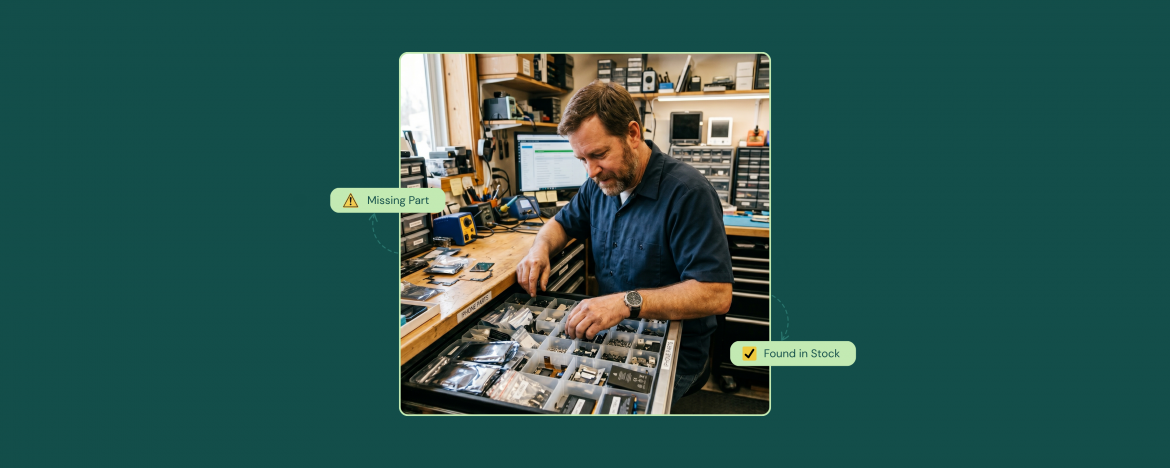
Here’s a frustrating truth that most repair shop owners discover the hard way: a huge sum of the money you think you’re losing on inventory is not actually lost. The parts are right there. They’re in your shop. You just can’t find them when you need them.
Misplaced inventory and parts buried at the wrong location are not rare events. They happen every day in repair shops, and they quietly drain revenue.
In recent conversations with repair shop owners, this exact problem came up over and over. Not “we don’t have enough parts.” Not “we can’t afford parts.” But “we have the parts, we just can’t find them in time.” That gap, between owning inventory and being able to actually use it, is where repair businesses bleed thousands of dollars every month.
Let’s talk about why it happens, what it costs, and how the right repair shop inventory management software can help you turn invisible stock back into real revenue.
The Real Problem is Lack of Visibility
At times, repair shop owners end up over-stocking with parts piled in drawers, scattered across shelves, or sitting in boxes nobody opened. Also, sometimes, parts are stranded at the wrong location. The issue is that nobody knows what’s actually there.
One cell phone repair store owner described how fast this gets out of hand:
We’re also running out of parts all the time because nobody tracks what we’re using. I ordered 50 iPhone 14 screens last month and they were gone in two weeks. I had no idea we were burning through them that fast.
This is the visibility gap in action. Parts are moving, but the owner has no real-time picture of what’s actually happening. So, by the time you notice the problem, you’re already paying for it in lost sales.
What Phantom Stockouts Actually Cost You
A phantom stockout is the moment a customer asks for a repair, your team checks the shelf, and concludes you’re out of the part, even though you actually have it somewhere. The customer leaves. The repair doesn’t happen. And the part you already paid for sits unused.
So, you must know how to spot and prevent phantom inventory.
Every phantom stockout costs you in three ways:
- The Repair You Didn’t Complete: If the average screen repair costs $170 – $400, that’s lost revenue on a part you already own.
- The Customer You May Not See Again: Walk-aways often don’t come back. They go to your competitor and stay there.
- The Review You Didn’t Get to Leave: Or worse, the negative review they leave instead.
Now multiply this by how often it happens in a busy week. For most shops, the math is brutal.
Why Manual Systems Make This Worse
When you’re tracking inventory through spreadsheets, paper work, or a system that wasn’t specifically built for that purpose, this exact failure is almost guaranteed.
One franchise owner described the manual workload his managers carried just to keep stock counts somewhat accurate:
Right now my managers spend hours every week manually updating stock after orders come in.
That’s hours of payroll going toward data entry instead of customer service or actual repairs.
The Reporting Blind Spot
Even repair stores that have moved beyond spreadsheets often hit a second wall: their software gives them data, but not the right data. Knowing what’s in stock is one thing. Knowing what’s selling, and what’s silently costing you money is something else entirely.
A multi-location computer repair business owner summed up years of frustration:
“It has reports but they’re confusing and never show me what I actually need to know.”
Reporting that does not tell you what to act on isn’t worth your time or investment. Efficient repair shop inventory management software with the reporting feature gives you the visibility plus the insight such as:
- Your best-selling line items
- Low stock alerts
- Demand forecasting
- Location-level performance
This way, you can view all the stats and metrics of your business and plan your next move accordingly.
How Real Repair Shop Inventory Management Solves It
So, the solution is not ordering more parts. It is not yelling at your team to be more careful. It is having a reliable repair shop software that automatically tracks every part, item, or accessory the moment it moves, no matter who’s behind the counter or which location it lives at.
Proper repair shop inventory management does four things that manual systems simply cannot:
- Real-Time Stock Visibility: The moment a part is used on a ticket, the count updates automatically. No manual logging. No end-of-day reconciliation.
- Multi-Location Inventory Awareness: If a part exists in any of your stores, your team knows where it is. You can also transfer inventory between locations when needed.
- Low-Stock Alerts before You Run Out: Set a threshold and the software notifies you when to reorder. Thus, you’re never out of stock.
- Supplier Integrations: Software such as RepairDesk offers parts suppliers integration, so you can easily reorder parts and accessories from your desired vendors.
This is what repair shop inventory management is supposed to look like. A system that gives you the truth about your stock, in real time, across every location.
What Changes When You Stop Losing Parts You Own
The shift is bigger than most owners expect. When inventory becomes visible:
- Phantom Stockouts Disappear: If you have the part, your team finds it.
- Dead Stock Starts Moving: You can finally see which parts are sitting too long at one location and transfer them to where demand exists.
- Ordering Becomes Predictive: Instead of panic-buying, you reorder based on actual usage trends.
- Technicians Stop Hunting: They spend their time fixing devices, not searching shelves.
- Customers Leave Happier: Faster repairs, fewer “we’ll call you back” moments, better reviews.
The financial impact is real. Even a small reduction in phantom stockouts and a small improvement in part usage can add thousands of dollars per store per month. It’s the money that was always yours, just hidden behind bad systems.
Not sure if this applies to you? Try this quick check.
A Quick Self-Check: Are You Losing Money on Parts You Already Have?
Take five minutes and answer these questions honestly:
How many times in the last month did a technician say “we’re out” of a part you suspected was actually somewhere in your shop?
How often does your team turn down a repair because they can’t confirm part availability fast enough?
If you have multiple locations, how often does inventory sit in the wrong place while another store loses a sale?
How much time per week does your team spend physically searching for parts?
When was the last time you did a full count and were surprised by what you found?
If any of these hit a nerve, you’re losing money on parts you already own. It’s because your tools are not giving you the visibility you need to win.
Final Words
The repair shops that scale in the next five years will not be the ones with the biggest inventories. They will be the ones who can actually see what they have, in real time, across every location, and turn that visibility into faster repairs.
Stop losing money on parts that are sitting right there. Start running your shop with the right software built to give you the clarity growth requires.
FAQs
1. Why Does my Shop keep Running out of Parts even though I Order Plenty?
This usually means you have an inventory tracking problem, not an ordering problem. Without real-time stock data, you don’t know how fast parts are moving until you’re already out. Repair shop inventory management software like RepairDesk shows usage trends, sets low-stock alerts, and helps you reorder based on actual demand instead of guesswork.
2. How do Multi-Location Repair Shops Keep Inventory in Sync?
Multi-location repair shops need centralized, real-time inventory visibility. This means every store sees the same live inventory count and can transfer parts between locations easily. Without this, you end up with one store turning customers away while another store has the same parts sitting unused. Modern multi-location repair shop software handles syncing automatically.