

The spreadsheet was working wonders when you first started your repair store. You only had to manage 10 parts, 2 suppliers, and 1 location.
However, like every successful business, your store started to grow, and the parts catalog expanded. A staff member started stocking up inventory but entered the information in the wrong row, and someone eventually forgot to do it entirely. Eventually, parts run out even if the spreadsheet shows them as available.
This is the specific reason spreadsheet-based repair shop inventory management breaks down, not all at once but slowly, one part at a time. By the time the damage is visible, it has already caused delayed jobs, angry customers, and parts ordered twice because nobody cross-checked anything.
While this may seem like an uncontrollable situation, it is completely avoidable with the right tools, primarily those designed for repair shops, like RepairDesk.
What Spreadsheets Can’t Offer
Almost 90% of spreadsheets contain errors because multiple people handle them, making mistakes easy. Moreover, a spreadsheet is a static document. It keeps a record of information that somebody else has written. It cannot keep track of when a technician pulls out a part for a repair, and it also doesn’t inform when a supplier ships an order. Similarly, it cannot alert when an item is running low or out of stock. It just sits there, waiting to be manually updated and audited.
But do you know what can do all of this? A repair shop inventory management system!
How RepairDesk’s Repair Shop Inventory Management Actually Works
RepairDesk’s inventory module is not a digital spreadsheet. It is a live system that automatically updates whenever a technician logs a part, a purchase order is received, or a ticket is closed.
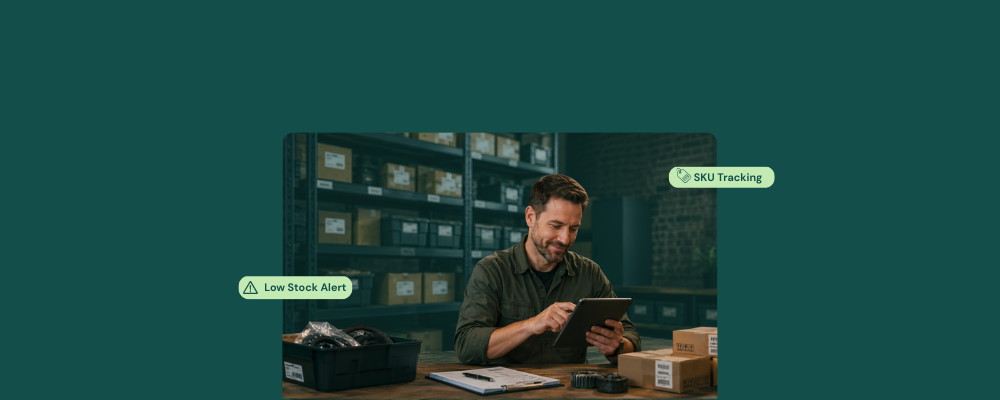
SKU Tracking That Updates in Real Time
The inventory management software
- Tracks every part in the store’s catalog by SKU
- Records stock quantity
- Drafts a purchase order
- Fires a low stock alert
Whenever a technician logs a part consumed on a ticket, RepairDesk immediately deducts that quantity from the live count. It does not wait around for the end of the day to update the levels.
It is not possible to manually keep track of all parts as they come in and out. Moreover, manual tracking leaves no room for communication among suppliers or for quick correction of inventory issues, which are completely avoidable with RepairDesk.
Low-Stock Alerts Before the Shelf Runs Empty
Another important feature of RepairDesk is that it sends a low-stock alert before you run out of stock.
No more running out of parts mid-repair!
The RepairDesk POS system with low-stock alerts helps stores manage their inventory effectively. It allows you to set the level for each SKU. High-velocity parts, like iPhone screens, can have a higher threshold than slow-moving components with less use. This way, alerts fire early enough to matter, not after the damage has already been done.
Purchase Orders Generated from the Alert
When RepairDesk triggers a low-stock alert, it also generates a purchase order with pre-filled part details, quantity needed, and supplier contact information. The shop owner can simply review it and send it. You don’t need a separate supplier lookup, manual entry of details, or phone calls to obtain information.
Barcode Scanning: No Typing, No Errors
A major issue with manually managing inventory is entering or locating items. Once entered in the spreadsheet, it is like finding a needle in a haystack. A barcode scanner reads the product barcode and automatically transfers all the information for bill processing. This way, instead of typing product details manually, the staff can directly scan it to add information to the repair ticket.
RepairDesk supports scanning multiple barcodes per SKU, handles part selection at the bench, logs it on the ticket, and updates the stock count.
Manual typos in a spreadsheet can be easily eliminated with this scan-based workflow.
A barcode scanner that is integrated with RepairDesk’s inventory model makes the parts logging at the desk
- Faster
- More accurate
- Free of manual process hazards
Multi-Location Inventory Control
For repair shops operating in multiple locations, the spreadsheet becomes a burden. Now there are several spreadsheets, all at the mercy of busy technicians and staff members, who must update them manually. RepairDesk offers SKU-level tracking across all store locations, provides inter-store inventory trend analysis, and eliminates the annual challenges associated with spreadsheets.
Migrating from a Spreadsheet to RepairDesk
The most common concern among store owners is that choosing a repair shop inventory management software means leaving behind years’ worth of catalog history, supplier details, and cost price records.
But if you choose RepairDesk, you can bid this problem farewell!
RepairDesk imports the existing parts catalog via CSV. All stock quantities, reorder points, cost prices, and supplier details transfer in one step before the store goes live.
Final Words
Spreadsheets lead to more hours spent, more errors, and a less productive work environment. RepairDesk treats this problem by letting the software handle all the tasks. Now, the spreadsheet doesn’t have to be maintained anymore because the system does the job automatically.
FAQs
1. Will I lose my years’ worth of data when I switch to RepairDesk?
No. RepairDesk lets you run your store using your existing records. It directly imports all necessary data via CSV. That way, your stock levels, cost prices, reorder points, and supplier details are intact when you go live.
2. Can I set different reorder points for different parts?
Yes. You can easily set different reorder levels based on the parts’ consumption rate.


