

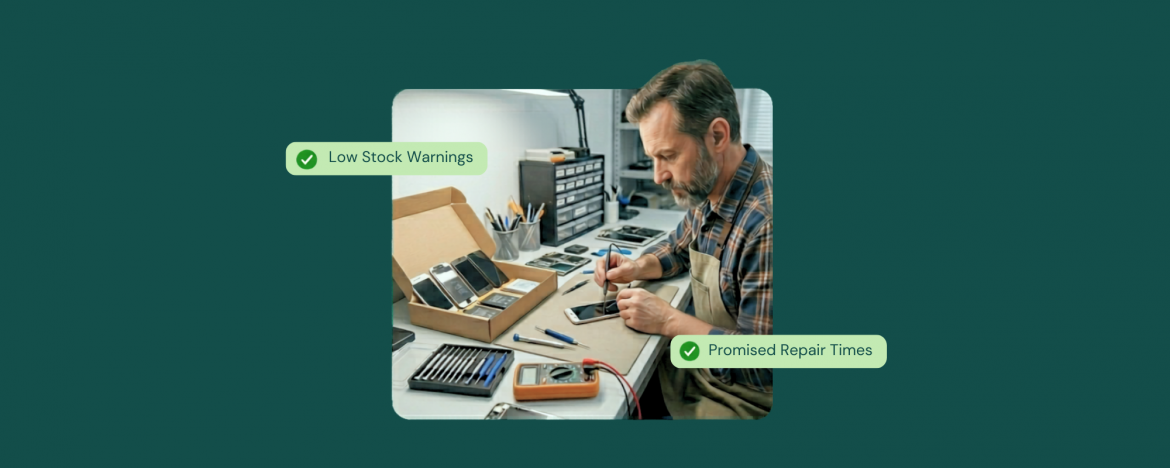
Parts do not become a problem when you run out.
They become a problem when you do not see the run out coming.
One missing screen or battery can flip a quick ticket into a delayed pickup. Then you are paying for rush shipping, updating the customer, and hoping the next job does not need the same item.
That is why parts tracking software repair shop teams rely on matters. Monthly counts tell you what already went wrong, but real-time alerts help you protect the next repair before it slips.
When parts usage connects to repair tickets, your low-stock thresholds stay accurate, your alerts stay reliable, and inventory stops feeling like a guessing game.
The Hidden Cost of Guessing Stock Levels
Guessing stock levels rarely looks expensive in the moment. It looks like one delayed job, one rushed order, and one extra purchase to feel safe. Then it repeats. A part gets used but not recorded, the count drifts, and the next ticket starts with the wrong assumption. You either promise a turnaround time you cannot keep, or you pad timelines and lose the sale to a faster shop.
The money leak shows up in a few places at once. Rush shipping eats margin. Duplicate orders pile up because nobody trusts the numbers. Dead stock grows because overbuying feels safer than running out. Meanwhile, the front desk spends time checking shelves and messages instead of moving repairs forward. This is exactly where parts tracking software repair shop workflows pay for themselves, because accuracy stops depending on memory and end of week cleanup.
Monthly counts only confirm what already went wrong. Real-time alerts help you prevent the next stockout before it hits the counter.
Why Real-Time Stock Alerts Matter More Than Monthly Counts
A monthly count can tell you what happened. It cannot protect the next repair that walks in the door. Real-time alerts give you a heads-up while you still have options, like reorder now, transfer from another store, or set expectations at the counter before the day gets messy.
Here are the five ways real-time alerts prevent problems that monthly counts only confirm.
1) Catch Stockouts Before They Hit the Counter
Stockouts hurt most when you discover them mid-ticket, after you already promised a timeline. At a global scale, the impact is massive. IHL’s research, shared in Blue Yonder’s inventory distortion report, estimates that out-of-stocks accounted for $1.2 trillion of $1.77 trillion in inventory distortion in 2023. Even in a repair shop, the pattern is the same, which is to catch the risk early, and you avoid the apology later.
2) Reduce Rush Orders and Margin Loss
Rush shipping feels harmless until it becomes normal. One urgent order turns into five, and suddenly, common repairs carry less margin than they should. With parts tracking software repair shop teams rely on, low-stock alerts help you reorder earlier with standard shipping and better pricing, instead of buying in panic. Over time, you stop paying extra to fix preventable gaps, and you also cut duplicate purchases that happen when nobody trusts the numbers.
3) Keep Reordering Consistent Across Staff Shifts
Inventory breaks when restocking depends on one person’s memory. One shift notices the shelf is low, another assumes someone ordered, and the part runs out at the worst time. With parts tracking software repair shop owners choose real-time alerts, creating one shared signal that does not change with the schedule. The team sees the same warning, follows the same rule, and restocks before it turns urgent. Consistency matters more than perfect counting.
4) Improve Multi-Location Stock Decisions
Multi-location shops often lose sales when one store runs out of stock while another has extras. Alerts help because they surface risk early enough to transfer stock before customers start waiting. They also remove the guesswork and the last-minute calls. You can see which location is trending low and which location can spare inventory, then move parts with intention instead of reacting after a repair stalls
5) Protect Promised Turnaround Times
Turnaround time is a trust promise. When parts are uncertain, shops either overpromise and disappoint, or pad timelines and lose customers who want speed. Real-time alerts protect that promise by keeping availability predictable. You can quote repairs with confidence, schedule work without gaps, and avoid the ripple effect where one delayed job pushes several more into tomorrow. Customers feel the difference because the shop sounds certain, not unsure.
Why Repair Shops Miss Low-Stock Signals
Low stock almost never happens out of nowhere. It builds quietly through small misses that feel harmless in the moment, then turns into a surprise when a customer is already at the counter, and the repair is already in motion.
Most shops miss the warning signs for the same reasons. Parts move fast, updates happen later, and the inventory record ends up chasing reality instead of guiding it. Without parts tracking software repair shop teams can rely on, low-stock signals get buried under daily rush decisions.
Stock stays accurate when you log parts the moment they leave the shelf, even during the rush, because that one habit prevents the slow drift that makes counts unreliable.
- Parts Leave the Shelf Without a Record
Techs grab what they need during the rush, and the count never catches up. - Receiving Gets Logged Late
Boxes arrive, get opened, and sit. The system stays blind until someone enters it. - Transfers Happen Without Tracking
Stock moves between locations or between drawers, and nobody records the move. - Variants Get Mixed Up
Similar parts look identical, and one wrong pick throws off counts and reorder decisions. - Reorder Points Are Missing or Outdated
Fast movers need thresholds that match real usage, not last month’s guess. - Open Jobs Do Not Reserve Parts Cleanly
You think you have stock, but half of it is already spoken for on active repairs.
Once these signals are visible in one place, real-time alerts start working the way they should.
How RepairDesk Supports Real-Time Stock Alerts in a Real Workflow
Real-time alerts only stay trustworthy when inventory updates at the same time every day. Parts get received and logged the same way. Parts get consumed through the ticket, not in someone’s head. Transfers get recorded, not handled as favors between stores. RepairDesk supports that consistency by keeping tickets, inventory, reordering, and transfers tied to one workflow, which keeps low-stock signals clean and makes the alerts worth trusting.
1) Inventory Tracking Built Around Repair Parts and Variants
A big reason stocks get messy is that repair parts are rarely one simple item. You are dealing with variants and attributes, and the wrong selection can throw off counts fast. RepairDesk supports managing products and variants, and it also lets you add the correct product or variant while building a ticket item. That keeps the ticket aligned with the exact part you used, which protects stock accuracy and pricing consistency. When the catalog matches how your shelves work, alerts become less noisy and more actionable.
2) Parts Usage Linked to Repair Tickets and Work Orders
Low-stock alerts fail when parts leave the shelf with no record of where they went. With parts tracking software repair shop teams can trust, parts need to be tied directly to repair tickets. In RepairDesk, parts can be linked to ticket repair items. When you select a repair problem on the Create Ticket screen, an associated inventory part can automatically appear under Ticket Items, and the ticket captures quantity and other details. That link keeps the repair record and inventory movement connected, which reduces count drift after busy days.
3) Low-Stock Thresholds That Match Real Demand
Alerts only work when your thresholds reflect reality. RepairDesk’s Low-Stock Report is based on stock warning and reorder level settings, and you can control whether low-stock triggers use Stock Warning or Reorder Level. The report surfaces items below threshold and shows indicators like on-hand stock and reorder-related fields, which help you catch risk early instead of discovering it during intake. Once your signals are consistent, using inventory reports to decide what to reorder first helps you buy with less guesswork and fewer rush orders.
4) Purchase Orders and Supplier Integrations for Faster Restock
Restocking breaks down when ordering is a separate process that nobody wants to do. RepairDesk supports creating purchase orders from the Low-Stock Report using your warning and reorder levels. If you use OrderSync, you can also streamline supplier ordering with vendors to PO automation. This reduces manual entry and keeps inventory updates closer to the moment you buy, which is what parts tracking software repair shop workflows need to stay accurate under pressure.
5) Inter-Store Transfers With Clear Inventory Records
Multi-location stockouts are often a transfer problem, not a purchasing problem. RepairDesk includes an Inventory Transfer flow where you can create a Transfer Order and move stock between stores while maintaining a record of what moved and where it went. The docs also describe creating transfer orders from the Low-Stock Report, selecting items, setting quantities, and proceeding with the transfer process. When transfers are tracked, alerts stay accurate across all locations and stores.
Conclusion
Real-time stock alerts only help when they are backed by consistent tracking. When parts get logged at receiving, tied to tickets when they are used, and transferred with a record, low-stock stops being a surprise and starts being a signal you can act on early. That is the difference between chasing shelves and running a predictable workflow.
For any parts tracking software repair shop team is considering, the real win is not the alert itself. It is the control that comes from knowing what you have, what is moving, and what needs action before a repair stalls.
FAQs
1) What is parts tracking software repair shop teams use?
Parts tracking software repair shop teams use is a system that tracks repair parts in real-time, including on-hand stock, usage on jobs, and reorder levels. It helps prevent stockouts that delay repairs.
2) How do real-time stock alerts work in a repair shop?
Real-time stock alerts work by notifying you when an item drops below a set threshold. The alerts stay accurate when parts are logged at receiving and deducted when used on repair tickets.
3) Why are monthly inventory counts not enough for repair parts?
Monthly counts show what happened after the damage is done. They do not prevent a stockout that hits mid-ticket, which is when delays, rush orders, and margin loss usually start.
4) What should a repair shop track to avoid stockouts?
Track fast moving parts, set reorder levels, log receiving consistently, record parts usage on each repair, and track transfers between locations. This keeps stock signals reliable.


