
Running a repair shop means juggling dozens of moving parts. Every day, technicians pull parts, process walk-in jobs, and close tickets, often without tracking what’s left. By the time someone notices a screen protector or charging port component is out of stock, a customer is already waiting.
This isn’t a management failure. It’s a system failure. Most repair shops grow organically, and inventory management is often the last process to get formalized. The result is a gap between what’s actually on the shelf and what the team thinks is available.
The downstream effects are real:
- Repair jobs get delayed
- Revenue is lost
- Teams constantly work around preventable shortages
Based on internal analysis, 68% of repair shops raised inventory visibility as a top concern, with low stock tracking and reporting clarity cited as the most impactful improvements.
This is not just a small repair shop problem, but multi-location repair businesses face it even more. With stock spread across stores, visibility becomes exponentially harder without the right tools. This is exactly the gap RepairDesk is built to close.
Introducing Low Stock Alerts
RepairDesk’s Low Stock Alerts are automated notifications that trigger when a part or product drops below a threshold you define. You set the minimum quantity for each item and RepairDesk does the watching for you.
When stock hits or falls below that number, the system notifies you. This is how POS system with low stock alerts helps repair shops. No manual checking. No guessing. Just timely, accurate prompts to reorder before you run out.
The Low Stock Report: Your At-a-Glance View
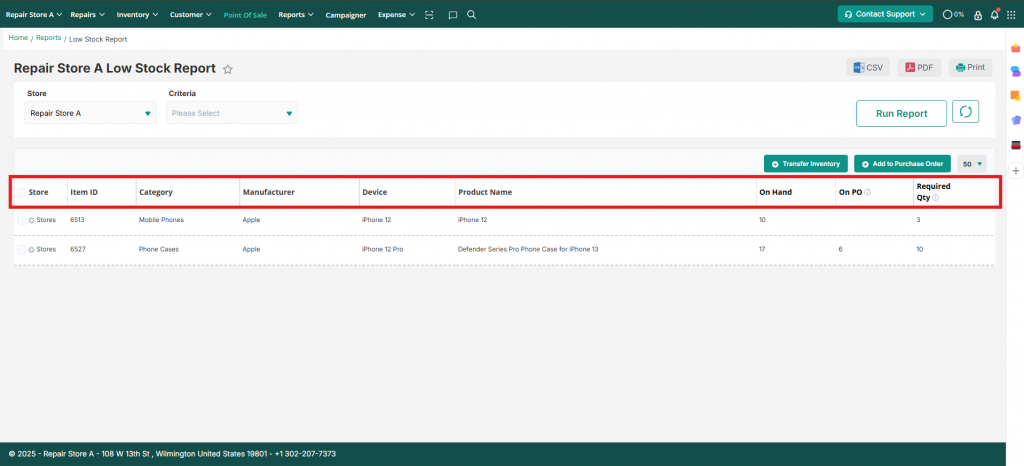
The low stock report in RepairDesk gives you a real-time list of every product, part, and accessory that has hit or dropped below its warning threshold. For each item, you can see:
- Product name
- On hand quantity
- Stock warning level
- Reorder level
- Quantity on PO (already on a purchase order)
- Required Qty to bring stock back up
Taking Action Directly from the Report
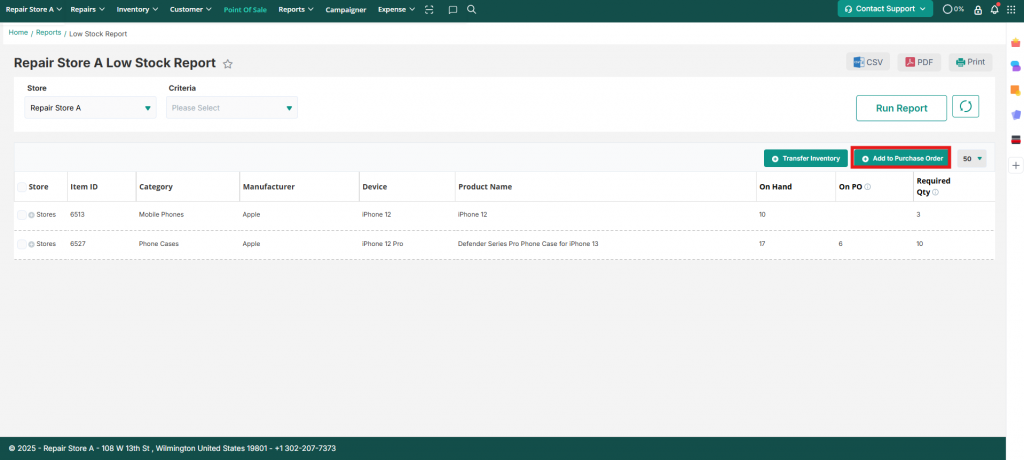
RepairDesk doesn’t just show you what’s low, but also lets you act on it immediately. From the low stock report, you can select any item and add it directly to a new or existing purchase order using the add to purchase order button. This removes the extra steps of navigating to a separate purchasing module.
Transfer Inventory Between Stores
If you run multiple locations, the low stock report also surfaces a transfer inventory feature. Select an item that is low at one store and initiate an inventory transfer from another location that has surplus stock, all without leaving the report.
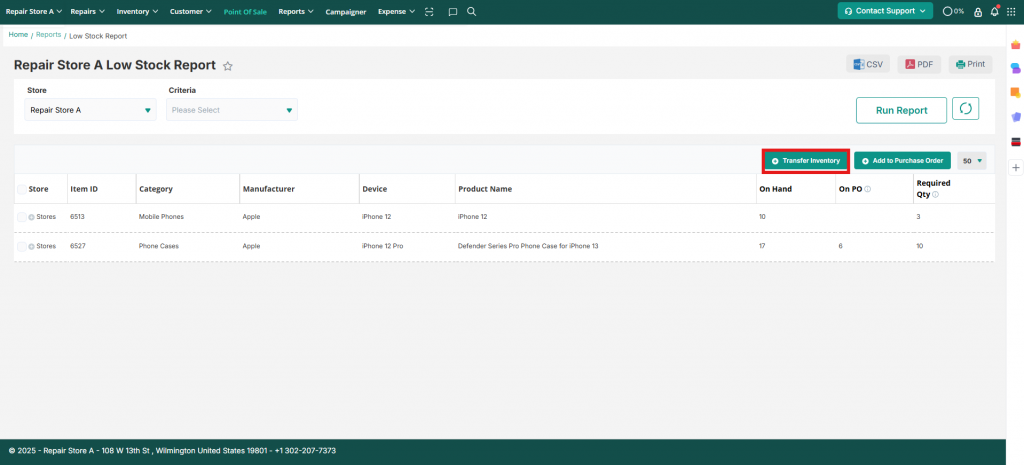
Both actions are available directly from the report, keeping your workflow in one place.
Pro Tip: Set your low stock threshold slightly above your true minimum (e.g., if you need at least 2 LCD panels for Samsung S25, set the alert at 4). This gives your team some time to reorder before you’re truly at risk.
The Role of Dashboard Reporting
The low stock report in RepairDesk is more than a list of items that need restocking, it is your dashboard for inventory health. With everything in one view, your team spends zero time digging through separate reports or cross-referencing spreadsheets. The information is current, consolidated, and ready to act on.
Dashboard Reporting for Multi-Location Shops
If you manage more than one location, the low stock report becomes even more powerful. You can filter by store to check stock levels at each location independently. Or, you can use the transfer inventory option to move surplus stock from one store to cover a shortage at another, all without placing a new supplier order.
Turning Data Into Smarter Decisions
Data is only valuable when it drives action. Every column in the low stock report is designed to support a specific decision.
Reorder with Confidence
The Required Qty column removes all guesswork from reordering. It calculates exactly how many units you need based on your reorder level minus what is currently on hand. Combined with the On PO column which shows what is already inbound from suppliers, you never double-order or underorder again.
Reduce Carrying Costs
Overstocking is just as costly as understocking. It ties up capital in parts that sit on shelves. With accurate low-stock thresholds and real-time deductions tied to every closed repair ticket, you maintain leaner, more efficient inventory without the risk of running dry.
The Bottom Line
Most repair shops don’t fail because of bad repairs, but due to bad processes. Inventory is one of the highest-leverage areas to get right: when parts are always available, jobs close faster, technicians work without friction, and customers leave satisfied.
RepairDesk inventory management is not just a feature, it’s the operational foundation that keeps your shop running predictably, even when volume is high and the pace is relentless.
Ready to take control of your inventory? Get started with RepairDesk and configure your low stock thresholds today. It takes less than five minutes and will save you hours of reactive scrambling every week.