

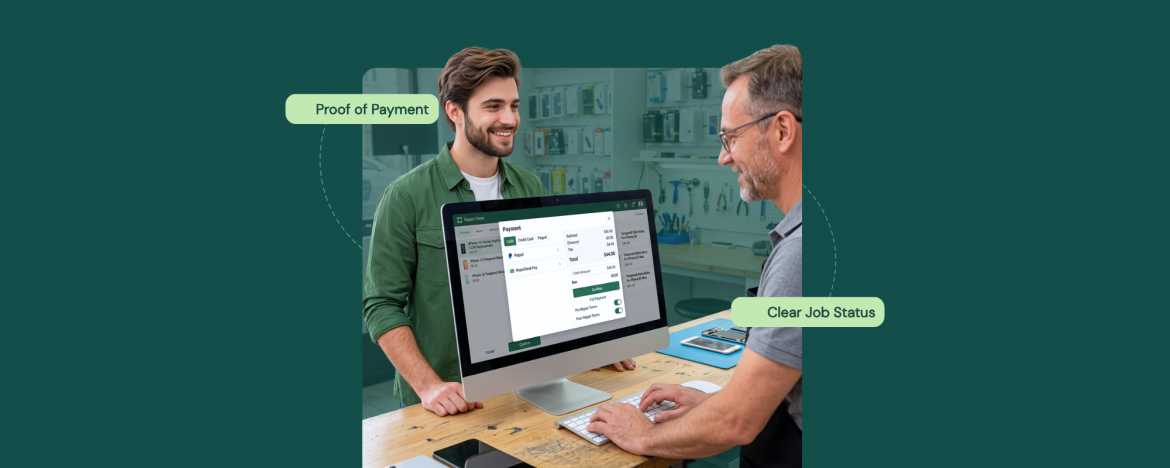
Rush hour at the counter has a very specific vibe. A customer is ready to pick up. Someone else wants to pay a deposit. A walk-in is buying accessories. Meanwhile, a tech is asking if the job is closed out yet. This is the moment where repair shop POS software either keeps everything clean, or your tickets start drifting from reality.
Most ticket errors don’t happen because people don’t care. They happen because checkout turns into a speed test. A part didn’t get added. A split payment got noted somewhere random. The receipt didn’t go out. The ticket stayed open even though the customer walked out happy. Then the end-of-day numbers look off, and everyone wastes time untangling what should have been simple.
A fast checkout workflow fixes that by making the ticket the source of truth, handling edge cases the same way every time, and closing the job with a clear handoff so nothing lingers half-done.
Why Does Checkout Get Slow When Tickets Pile Up
Checkouts usually don’t slow down because the register is hard to use. It slows down because the ticket isn’t ready when the customer is standing right there. One missing part, one unclear labor line, or one “we’ll add it in a second” note is all it takes to turn a quick pickup into a mini investigation.
The other speed killer is inconsistency. One employee records deposits one way, another mishandles split payments, and a third leaves sticky notes saying “paid half.” Even with strong repair shop POS software, the counter turns chaotic when staff handle edge cases without one shared playbook.
A lot of shops fix this by standardizing the counter routine and tightening up the checkout flow inside their repair management system, so every pickup follows the same path even when the line is long.
Then there’s the handoff problem. Tech marks it done, front desk thinks it awaits approval, and the ticket status matches neither version of reality today. That’s how you end up with “paid but still open” jobs, duplicate follow-ups, and end-of-day numbers that don’t line up with what actually happened.
If you want checkout to feel fast without creating ticket errors, you need a workflow that makes the ticket complete before payment, handles payment exceptions the same way every time, and closes the job with a clear status so the whole team stays synced.
A Fast Checkout Workflow That Keeps Tickets Clean
When the counter is busy, speed comes from repetition, not rushing. The fastest teams follow the same checkout sequence every single time, so nothing gets missed when the line builds up, and everyone is multitasking. Here’s the workflow that keeps tickets accurate without slowing you down.
1) Clean the Ticket Before You Charge
Before you take any payment, treat the ticket like a final checklist. Confirm the device and customer are correct, then scan the line items like you’re verifying a receipt. Labor should be clear, parts should be complete, and any fees or taxes should already be in place. If something is missing, add it now. Don’t “mentally note it” and move on.
This step is what prevents the most common ticket error in a busy shop, which is that the customer pays, leaves, and the ticket still doesn’t reflect what was actually done. Once that happens, your team ends up doing cleanup later, usually when they’re even more tired and more likely to miss details.
2) Handle Payment Edge Cases Consistently
Most checkout slowdowns come from the weird stuff, not the normal stuff. Split payments. Deposits. Partial payments. Someone paying now but picking up later. A customer who wants to use two cards and cash because “that’s how my limits work.” If your team treats these as one-off situations, every transaction turns into a small debate, and that’s where ticket errors sneak in.
The fix is simple. Decide what “correct” looks like for each edge case, then do it the same way every time.
- Deposits: record them the moment they happen, and make it obvious on the ticket what’s still due.
- Partial payments: don’t let them live in notes or verbal handoffs. The ticket should show what was collected and what remains.
- Split tender: capture the full payment breakdown so nobody has to reconstruct it later.
- Pay now, pick up later: keep the ticket status honest, so it doesn’t look like the job is already completed and handed off.
This consistency is what keeps checkout fast during a rush. Staff don’t have to think through the process from scratch, and managers don’t have to untangle “what actually happened” at the end of the day.
3) Send the Proof of Payment Immediately
The quickest way to create avoidable follow-ups is to let a customer walk out without clear proof of payment. Even when everything was charged correctly, people forget what they paid for, they lose paper receipts, or they need an invoice for insurance, reimbursement, or bookkeeping. Then your team gets pulled back into the same job again, except now it’s happening over messages or phone calls.
A good repair shop POS software keeps this simple. The moment payment is taken, the receipt and invoice should be sent right away in the customer’s preferred format.
This does three important things:
- It reduces “can you resend that” callbacks
- It prevents disputes about what was included in the charge
- It keeps the ticket aligned with what the customer believes they paid for
When proof of payment is instant and consistent, checkout gets faster over time because fewer jobs bounce back into your day as cleanup work.
4) Close the Job with a Clear Status and Handoff
Taking payment is not the same thing as finishing the job. A lot of ticket errors happen in the space between those two moments. The customer leaves happy, but the ticket sits in the wrong status, the tech thinks it’s still pending, or the front desk assumes someone else will close it out later. That’s how you end up with paid tickets showing up in queues they don’t belong in, and staff wasting time double-checking work that’s already done.
The fix is a clean closeout routine with two parts.
First, set the correct final status every time. Your statuses don’t need to be fancy, they just need to be unambiguous. Paid and picked up should not look like waiting for pickup. Closed should not look like pending approval.
Second, make the handoff explicit. If the job needs a final step after payment, like a quick customer signature, a warranty note, or a last check from the tech, that should be clear before the ticket is marked complete. When everyone knows what “done” actually means, jobs don’t linger in limbo, and checkout stays fast because the next person isn’t trying to decode the situation.
Why This Workflow is Easier to Run with RepairDesk
When you try to run this workflow on paper, the edge cases are what usually break it. Deposits, partial payments, split tenders, and customers who want to pay remotely can turn checkout into a slow, manual cleanup job. RepairDesk supports those realities in the core POS and invoicing flow with options like contactless payment links, partial payments, deposits, estimates that convert into invoices, and split payments, so your team can keep moving without inventing side processes at the counter.
It also helps because the workflow stays tied to the ticket and stays visible after the rush. RepairDesk’s ticketing supports configurable workflows and quick filtering so teams can keep jobs organized, while reporting tools like the transaction log and reconciliation reporting help you spot errors across shifts and close the day with numbers that match reality.
That’s why the advantage shows up in four areas, starting with checkout flexibility at the counter.
1) Checkout Flexibility that Doesn’t Slow the Counter
Busy shops don’t lose time on “normal” payments. They lose time on the exceptions that happen all day long. Deposits at drop-off. Partial payments because someone is waiting on an insurance payout. Split tenders because the customer wants to use a cash plus card. Remote payment because the customer can’t come in until later. If your system can’t handle these cleanly, staff start improvising, and that’s where ticket errors show up.
This is where repair shop POS software earns its keep. RepairDesk supports the checkout flexibility that keeps the line moving while still keeping the ticket and invoice clean, like partial payments, deposits, split payments, and contactless or remote payments through a payment link, plus quotes that convert into invoices so you’re not rebuilding charges at pickup time.
2) Ticket and Payment Staying Aligned
Ticket errors usually show up after the customer leaves. Someone can’t tell what was actually approved, what was actually charged, or whether the job is truly closed. The fix is simple in theory, and that’s the ticket, the invoice, and the payment record should all point to the same story, without anyone needing to remember what happened.
RepairDesk makes that easier because tickets are built to stay organized under pressure with customizable workflows and the ability to filter tickets by status, type, date, and more, so the front desk is not hunting for context at pickup time. And when checkout happens, invoices can be generated as part of POS and ticket processing, with a clear place to manage invoice history later.
This matters more than people think. PwC found 32% of customers would stop doing business with a brand they loved after just one bad experience. A wrong charge, a confusing invoice, or a “paid but still open” ticket is exactly the kind of avoidable moment that creates that experience.
3) Inventory Accuracy When Parts Move Fast
Fast checkout falls apart the moment your parts data stops matching reality. If a part gets used but never tied back to the job, you end up with two problems at once. The ticket is missing what was actually done, and inventory looks fine until you hit a surprise stockout. That’s when checkout slows down because staff start double-checking, guessing, or promising call-backs instead of closing the job cleanly.
This is why solid repair shop POS software needs inventory to behave like a checkout teammate, not a separate system. RepairDesk supports that by letting you link parts to repair items so they show up naturally while building the ticket, and by keeping stock visibility and reorder signals in the same operational flow your team uses every day.
4) Visibility Through Reporting When the Day Ends
Fast checkout only really counts if your end-of-day numbers match what happened at the counter. Otherwise, you trade speed for cleanup. The advantage here is having a clear paper trail for the stuff that usually gets messy across shifts, like refunds, manual entries, partial payments, and payment method mix-ups. That’s where reports like a Transaction Log help because they give you a detailed activity view instead of forcing you to reconstruct the day from memory.
RepairDesk also leans into the “close the loop” part of checkout with reporting built for settling up, including reconciliation reporting that tracks cash, refunds, net cash, and payment types, plus the ability to get scheduled reports sent to your inbox so you’re not always pulling data manually. And when your team is running register shifts, closures show up in the key end-of-shift reports like Z-Report, Transaction Log, and Reconciliation, so it’s easier to spot gaps while they’re still fixable.
The Friction Points to Watch for
Even with solid repair shop POS software, checkout speed can drop fast when a shop hits a few predictable friction points. The good news is these aren’t mystery problems. They’re usually about expectations and setup. When you call them out early and standardize how your team handles them, you avoid the rush hour spiral where checkout turns into troubleshooting.
First, align on what connected really means. RepairDesk supports a wide set of integrations and also offers a dedicated Shopify integration for syncing key commerce data, but every shop’s stack is different, and some workflows need a bit of configuration to match how you operate across channels. Second, don’t underestimate hardware and printing. Labels, receipts, and invoices are what keep tickets moving physically in the shop, and speed comes from having the right devices plus a predictable print flow, not from clicking faster.
A few common watch-outs that are worth addressing before they bite you mid-rush:
- Hardware Compatibility and Standardization: Pick from known-compatible printers and scanners so every station behaves the same.
- Label Workflow Consistency: Use a label format your team recognizes instantly, and rely on barcodes so tickets open fast from a scan.
- Tablet and Remote Printing Realities: If you’re running iPads or mixed devices, plan the printing approach up front, because that’s what keeps pickup lines moving.
- Two-way Texting Expectations: Two-way SMS can depend on using a virtual number setup, so it’s better to define that early than discover it later.
- Omnichannel Sync Assumptions: If you sell online and in-store, confirm what you want synced and how often, especially around inventory and product variants.
Final Words
Fast checkout only works when accuracy survives the rush. When checkout stops creating cleanup work, you free up real capacity across shifts, which is one of the easiest ways to handle more repairs without increasing costs.
When the ticket is complete before payment, edge cases are handled the same way every time, proof of payment goes out immediately, and the job closes with a clear status and handoff, you stop seeing the usual fallout like re-openings, confusion at pickup, and end-of-day mismatches.
With the right repair shop POS software, that workflow becomes repeatable across shifts, not dependent on one experienced staff member being on the counter. RepairDesk supports this by keeping checkout, ticketing, and reporting in one connected flow, so your team can move quickly without losing control.
FAQs
1) How do repair shops speed up checkout without making ticket mistakes?
Use a consistent closeout routine. Clean the ticket before charging, record split and partial payments properly, send the receipt invoice immediately, then close the job with a clear status.
2) What should be on a repair ticket before taking payment?
Customer and device details, the issue summary, parts and labor line items, taxes and fees, pickup notes, and any warranty terms that affect the final charge.
3) How should a shop handle split payments and deposits on repair tickets?
Record them at the time they happen and keep the ticket showing what was collected and what remains due. Avoid notes or verbal handoffs for payment details.
4) Why do tickets still show open after a customer pays?
Because the closeout step was skipped, or the status was not updated consistently. Set a clear paid and picked up status and make handoff rules part of the checkout flow.


