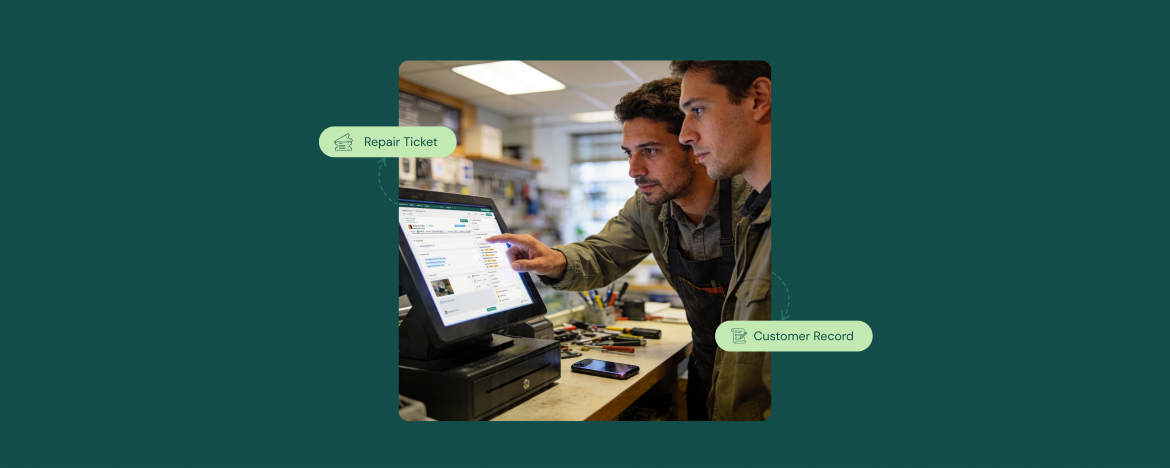
For most repair shop owners, a ticket is a job card. Something they create when a device comes in and close when it goes out. But in RepairDesk, a ticket is much more than that.
Recently, we gathered data across 108 sales and kickoff calls, and ticketing ranked as the second most impressive module, mentioned positively in 35.2% of all conversations.
Users didn’t just like that tickets exist. They were impressed by what tickets capture, how they connect to inventory, and how they build a lasting record of every customer relationship.
This blog breaks down exactly how repair ticket management works, within RepairDesk and why that matters for your day-to-day operations.
Why Do Most Repair Shops Lose Data Between Check-In and Pickup?
It happens in most repair shops that haven’t moved to a proper system that a customer drops off a smartphone with a cracked screen. The technician writes notes on paper, remembers the part verbally, and texts the customer when it’s done. By the time the job is closed, half the information is scattered across sticky notes, chat messages, and someone’s memory.
The result: no searchable record of what was done, no audit trail for the parts used, no history to refer back to when that same customer walks in six months later with the same device.
The fix isn’t just going digital. It’s having the right system where every piece of information about a job flows into one place, automatically, without asking your team to do extra work.
And as repair technology continues to evolve, so does what that system needs to do. We’ve covered the future of repair ticket management software if you want to see where this is all heading.
What a Repair Ticket Should Actually Capture
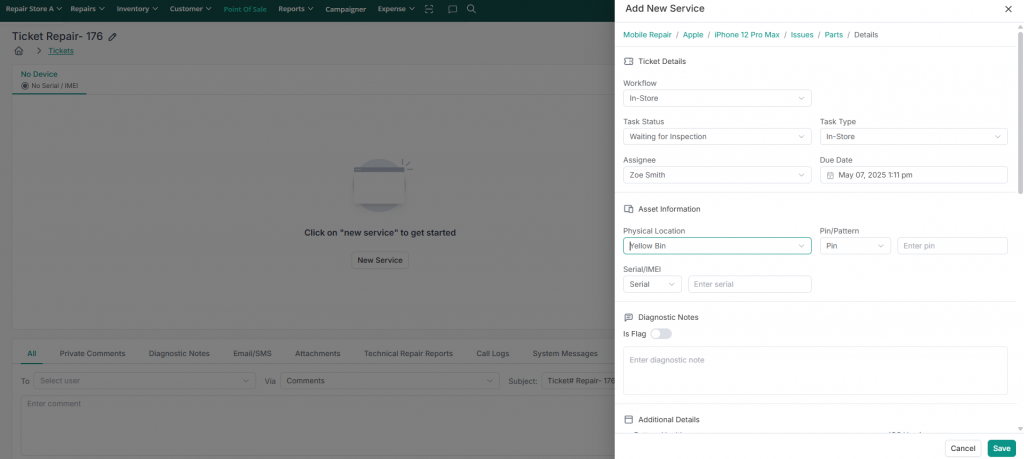
A well-built repair ticket isn’t just a job number. In RepairDesk, a ticket captures:
- Customer details — name, phone, email, linked to their full profile
- Device information — make, model, condition at intake
- Repair problem — selected from a structured catalog, not typed freehand
- Parts used — pulled directly from inventory
- Custom fields — any additional data your workflow requires
- Images — pre- and post-repair photos attached directly to the ticket
- Technician notes — internal notes that don’t appear on the customer invoice
- Payment details — collected at checkout and linked back to the ticket
This structure means every job your shop completes leaves a clean, complete, searchable record, not just a closed ticket.
Automatic Parts Deduction: How Inventory Stays Accurate Without Manual Work
One of the most praised features is automatic parts deduction.
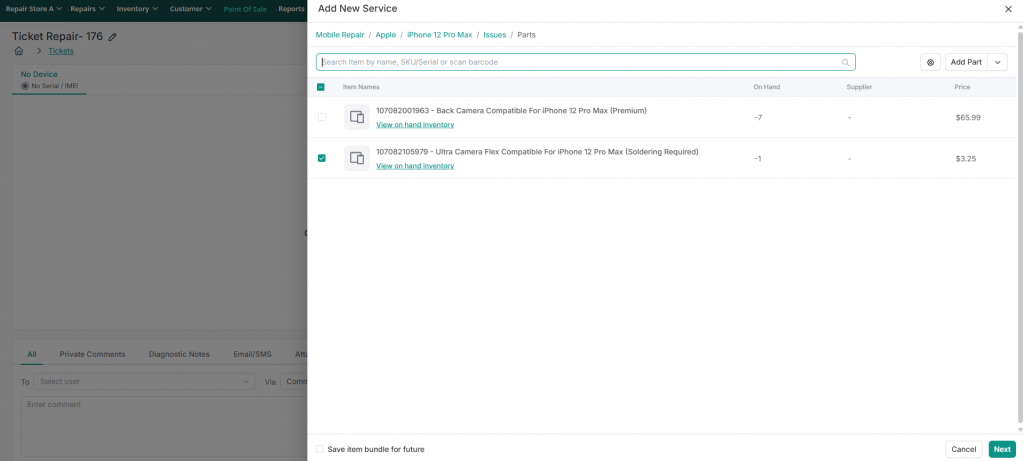
Here’s how it works: when you select a repair problem on a ticket (for example, “iPhone 16 screen replacement”), RepairDesk automatically links the associated inventory part to that ticket. When the job is marked complete, the part is deducted from your stock. So, no separate inventory update required.
This solves a problem that plagues shops using manual processes or disconnected systems: inventory counts drift from reality because technicians fix devices but forget to log part usage. With RepairDesk, the ticket does it for them.
Rich Forms: Capturing Images, Notes, and Custom Fields on Every Job
A standard ticketing system collects the basics. RepairDesk forms go further by letting you capture anything relevant to a job, and that capability came up repeatedly as a standout differentiator during prospect conversations.
You can:
- Attach pre-repair photos — document existing scratches or damage before you touch the device
- Attach post-repair photos — confirm the job was done correctly for your records
- Add custom fields — capture anything specific to your workflow, such as passcodes, IMEI numbers, insurance references, or accessories left with the device
- Collect customer signatures — at intake or at pickup, with terms and conditions linked
- Record internal technician notes — visible to your team but not printed on the customer invoice
For shops that handle insurance claims, trade-ins, or compliance requirements, this level of documentation isn’t a nice-to-have, it’s essential.
From Ticket to History: Building a Customer Profile Over Time
Every ticket you close in RepairDesk doesn’t disappear, it attaches to a customer profile. Over time, that profile becomes a complete service history: every device repaired, every part used, every payment made, every communication sent.
This matters more than it sounds. When a customer returns six months later, your team can:
- Pull up exactly what was repaired last time
- See which parts were used and whether they’re still under warranty
- Check the full payment history on their account
- Review any notes left by previous technicians
RepairDesk also supports merging duplicate customer profiles. So, if the same customer was added more than once, their full ticket history can be consolidated into a single record.
If you’re just getting started, we’ve put together a step-by-step guide on how to create a repair ticket.
The Bottom Line
A repair ticket in RepairDesk is not a form you fill out and file away. It is the starting point for your inventory accuracy, your customer relationships, and your business intelligence.
When your team creates a ticket the right way, the repair shop software does the rest. Inventory updates itself. The customer profile grows richer. Your reporting becomes more accurate.
It’s why ticketing ranked as the second most impressive module across 108 customer conversations, not because it’s complicated, but because it works quietly in the background and makes everything else easier.