
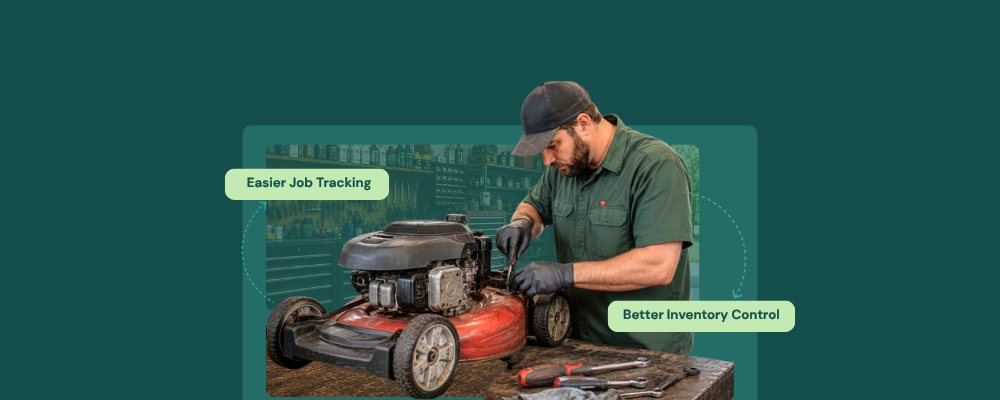
It’s peak summer. The phone has been ringing nonstop since 9 am. Six lawn mowers are already under repair. Three more just dropped off with handwritten notes attached to their seats. A customer is at the counter asking when their device will be ready. That’s the same device that came in six days ago and whose handwritten note seems to be missing. The technician is busy dealing with a carburetor and cannot be interrupted. Someone has to find that note and come up with an answer that doesn’t make the customer walk away.
This scenario happens every year, not because your store lacks skilled professionals, but because it is poorly run and relies on paper tags, memory, and a generic POS terminal that was never built to handle it.
And there’s only one way to make sure seasonal volume or change doesn’t cause your store to collapse: use lawn repair shop software.
Why Generic Tools Break Down in Seasons?
A generic POS terminal processes sales. A spreadsheet tracks the parts only as long as someone keeps it updated manually. A whiteboard records the logistics until someone accidentally wipes it off. The point is that none of these systems talk to one another, and surely these systems are not strong enough to handle a store where ten machines arrive within the same week, each with different issues and repair costs.
56% of businesses reported being owed, on average, $17,500 due to unpaid invoices. That’s not just money; that’s your system failing you!
Such errors, coupled with manual billing, wreak havoc on the store, and those stores eventually suffer because they lack software for small engine repair shops. The problem is not the rush but the systems that weren’t designed for this system.
There’s no magic trick that can instantly solve this problem; however, a practical move is to invest in lawn mower repair shop software that addresses this problem at its core. It doesn’t require adding more tools to the stack; it replaces the entire stack with a unified system that connects repair tickets, inventory, billing, and customer communication.
One Ticket Carries the Whole Job
With RepairDesk’s ticket management system, a digital ticket is created at equipment intake, capturing the
- Device name
- Reported fault
- Diagnostic notes
- Pre/post-repair images
- Assigned technician
- Estimated repair cost
- Customer details
All details are recorded on a single screen. RepairDesk assigns the ticket a unique job number, links it to the customer’s repair history, and makes it easily searchable using name, equipment type, or ticket number within seconds.
The digital repair ticket management system specifically eliminates the manual, handwritten chaos that slows down lawn mower shops during peak season.
Parts that Reorder Before You Run Out
Spark plugs, pull cords, kits, air filters, blades, belts, and a whole lot more. Needless to say, a small engine repair shop consumes several parts each season. On paper, the stock levels seem okay, but in reality, they are not updated regularly and are sometimes confined to memory.
It’s common for technicians to reach out for a belt on a busy Friday afternoon, only to find the part is long gone.
The customer? Well, he’s standing there waiting. You? I’m afraid, will have to come up with a much-needed apology!
This situation is easily avoidable using the inventory management software for small engine repair shops. The software,
- Tracks the stock quantity per SKU for every part
- Updates the levels as soon as they are used in the repair ticket
- Automatically fires a low stock alert as soon as the threshold is reached
- Generates a draft purchase order to the assigned supplier
The software for small engine repair shops also allows you to link supplier details to RepairDesk’s purchase order workflow so that reordering becomes a one-click action instead of multiple phone calls.
Seasonal Volume, Managed Before it Arrives
Seasonal volume is one of the biggest challenges for small engine repair shops. Peak demand occurs in summer and winter, which heavily affects the annual budget, as it depends on these two seasons.
Such demand naturally puts a strain on the inventory, ticketing, staff, and billing. On paper, these fluctuations can cause backlogs. However, with RepairDesk, this chaos is easily manageable.
RepairDesk’s job scheduling module assigns each repair ticket to a designated technician, arranges the repair orders by priority, and keeps slots open for walk-ins and drop-offs. This makes it easy to manage the rush with the existing schedule.
Estimates, Invoices, and Customer Updates All Handled Without Leaving RepairDesk
Lawn mower repair is one of the few industry verticals in which repair costs can exceed the machine’s value. In such cases, customers need an estimate before they approve the repair work. RepairDesk generates an estimate from an open ticket and can send it to the customer for approval via SMS or email. That way, the repair store owner can address the issue before using or ordering a part. Once approval is given, it is recorded on the ticket, and the technician can officially begin the repair.
Upon successful completion of the repair, the lawn mower repair shop software converts the approved estimate into a customer invoice.
No confusion. No last-minute arguments.
Conclusion
Having unified software is not a luxury but a necessity. Navigating the rush-packed season with outdated or manual systems damages revenue and leaves a bad impression on customers. Hence, using software for small engine repair shops is crucial for managing the store, generating revenue, and building a loyal customer base.
FAQs
1. My store gets busy for three months in a year. Is using lawn mower repair shop software sustainable in my situation?
Yes, of course. The off-season is where you can plan your peak season’s requirements. Using RepairDesk gives you valuable insight into the sales, services, and items you use most often. Using that data, you can easily plan ahead of the peak season and earn maximum profit.
2. Can I create a ticket if a customer drops off a mower without a booking?
Yes, absolutely. RepairDesk creates a ticket for walk-in drop-offs at the counter within a few minutes. The ticket enters the same queue as pre-booked jobs and is visible to the technician in the shop the moment it is created.
3. Does RepairDesk track parts warranties for small-engine components?
Yes. RepairDesk allows the store owners to attach internal notes to any SKU in the parts catalog. That includes warranty items, supplier return policies, and any recall flags. When a technician uses a part with a warranty note on a repair ticket, they can immediately see it before closing the repair job.


