

Most repair shop owners can relate to this scenario.
A customer calls asking about their repair. The front desk opens the ticketing app on a tab to check the status. The status shows “In Repair,” but the technician never updated it to indicate it was waiting for parts. Another tab is the inventory spreadsheet, where the part quantity was not updated. Tab 3 is WhatsApp, where the technician sent a text about a repair job three hours ago. Tab 4 is the POS terminal used for payments when customers come in.
Four tools. One customer. One simple question, yet nobody has a complete answer.
This scenario doesn’t mean the store needs more people. It indicates that you need unified repair shop software to keep your tickets, inventory, billing, and customer communication in sync within a single system.
What “Unified” Means and What it Doesn’t
It’s common for software vendors to use the word “unified” to describe a dashboard that aggregates data from multiple tools via integrations. That’s not unified but rather connected, and connected tools are more likely to break. An integration between your repair ticket app and inventory spreadsheet still requires both tools to be handled and updated correctly for the connection to work. If any of the aforementioned features are out of sync, then the whole flow collapses.
True unified systems mean that
- There is one database
- Each system is completely in sync with the other one
- Every system is automatically updated
This means that the repair ticket, inventory, billing, and customer communication all exist and update each other simultaneously.
And RepairDesk is the ideal POS system to achieve this coordination.
Whenever a technician logs a part against a repair ticket using the unified repair shop software, three things happen at once.
- The part is deducted from the inventory
- Its cost is added to the open invoice
- The ticket record is updated with the parts consumed
There is no need to open several tabs or manually update every function all the time.
This is the major difference between a connected and a unified system.
The Real Cost of Disconnected Tools
Disconnected tools don’t just create inconvenience; they create financial drain. Research indicates that workers spend roughly 59 minutes per day searching for information across various tools. For a repair shop owner, losing precious time means missing out on revenue and customers.
If your systems run separately, then
- A part consumed is not logged in
- The inventory count is wrong
- A critical component can run out mid-repair.
- The repair job might be completed, but the invoice has not been generated in the POS because the two were disconnected.
- Customers will not be updated
- Payments can get delayed.
Each of these hurdles is a direct revenue leak, and each can be easily eliminated when the repair ticket, inventory, and billing are integrated into a single, unified software system for repair shops.
How RepairDesk Works as a Unified Platform
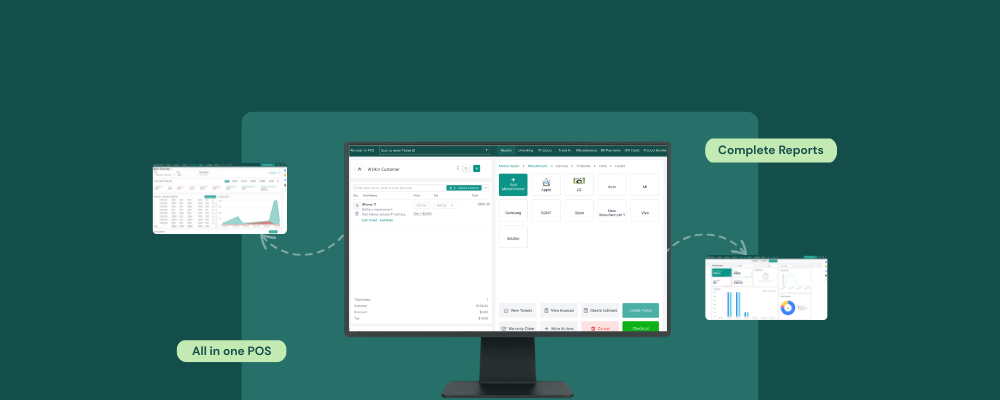
RepairDesk combines every operational layer of a repair shop into a single platform. Here is a quick insight into how the software eliminates guesswork and combines all essential functions into a single POS screen.
Repair Tickets and Inventory, One Action, Two Updates
The RepairDesk ticket management system creates a repair ticket for every device intake, capturing the device IMEI, reported fault, assigned technician, and estimated repair cost. As soon as a part is consumed by the technician, the unified software automatically deducts those parts from the inventory and updates the inventory count for that SKU. When the stock quantity falls below the set threshold, the software triggers a low-stock alert and automatically drafts a purchase order.
The repair ticket and inventory are a combined system. There are no separate tabs, so there are no delays.
Repair Tickets and Billing, No Re-Entry Needed
RepairDesk generates the customer invoice directly from the closed repair ticket as soon as the repair job is completed. It pulls parts costs and labor charges from the work order without any manual re-entry. It also processes cash, card, digital, and partial payments. Every transaction is recorded against both the customer record and the ticket.
In a disconnected setup, the job gets closed in the ticketing app, and someone has to manually re-enter the job details into the POS to generate an invoice. That step is where billing errors, missed charges, and unbilled completions happen. In RepairDesk, that step doesn’t exist.
Customer Communication, All in One Inbox
RepairDesk connects every inbound SMS, email, and social message into a single unified inbox inside the POS. Every customer gets an automatic update as soon as their repair status changes. You can also focus more on repairs and spend less time on status calls.
With RepairDesk Connect, you can read every customer reply, log, and respond to it without switching to another application or opening a new tab.
Reporting, One Dashboard, Not Four Exports
The RepairDesk Reports module pulls data from repair tickets, inventory records, and billing, providing complete insight into a technician’s performance, repair time, pending bills, and revenue generated in the store. There is no need to export multiple files, spreadsheets, or weekly reports anywhere. The store owner can open a single dashboard and see the full operational picture of their store.
Final Words
Most repair shops run on disconnected systems and are unaware of the problem. The daily switching of tabs, entry of data, and calculations ultimately put a stop to the actual focus of the repair store.
RepairDesk’s unified software for repair shops imports existing customer records, parts inventory by SKU, and repair history via CSV, making the switch effortless. It’s important to understand that constantly switching tabs isn’t ideal; choosing software that automates these tasks is a more sensible approach.
FAQs
1. Will switching to RepairDesk mean I lose my existing data?
No, not at all. RepairDesk imports all customer records and ticket history, helping you go live within 7 days.
2. Does RepairDesk work for stores that sell accessories along with repair services?
Yes. The software is a unified platform that manages both repair ticket workflows and retail sales from the same POS. The accessories, screen protectors, cases, etc., all sit in the same inventory module as repair parts with separate pricing and SKUs.


