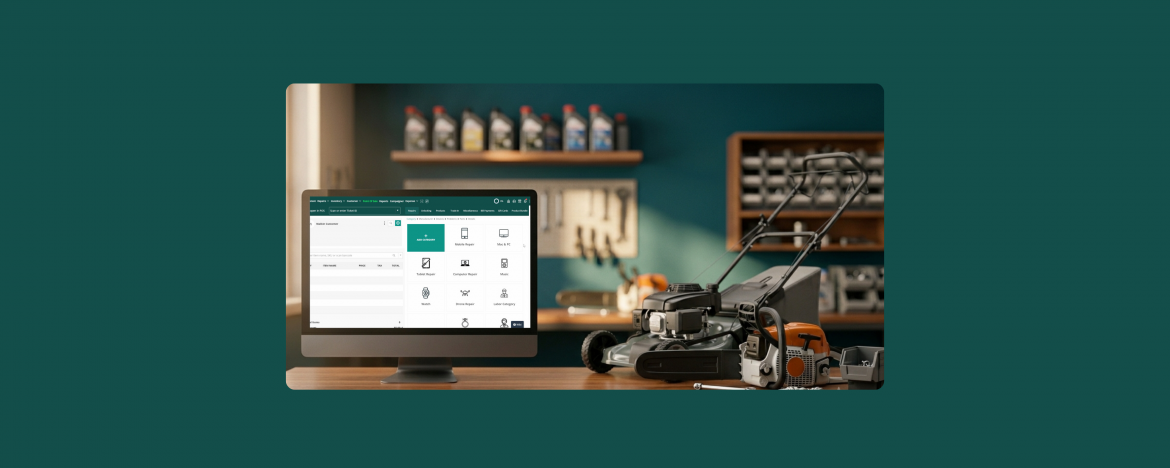
Small engine repair shops have grown into a real business. Lawn mowers, chainsaws, snow blowers, generators, leaf blowers, ATVs, UTVs, compact tractors, and outdoor power equipment all need regular service. Shops that handle them are busier than ever.
However, most business owners are using software that is not built for small engine repair shops. As a result, they struggle to manage operations, causing inefficiencies, and errors.
This blog walks through what a reliable small engine repair shop software looks like and what owners actually need from the system. Additionally, we will share tips on how to pick the right system before you waste months on the wrong one.
Small Engine Repair Has Become Huge Business
The repair side of the small engine industry has grown fast. Three things are pushing it:
Equipment is more Expensive
On average, a riding mower for a large property can cost $3,940. Similarly, a commercial zero-turn mower costs up to $8,000. Customers expect that investment to last 10 to 15 years, which means real service intervals and real repair work.
Skilled Mechanics are in short Supply
The shops that have good technicians are booked weeks out. That backlog is great for revenue but brutal for tracking.
Seasonal Demand is Brutal
Spring brings the lawn mower season. Winter brings the snow blower season. Customers want their equipment in perfect condition. So, shops that can’t handle the rush lose business to the repair stores that can.
The repair businesses that grow are the ones that can run a packed season without dropping a single ticket. That takes real systems, not handwritten work orders on a clipboard.
The 5 Things Every Small Engine Repair Shop Needs in Software
Before picking any software for your small engine repair shop, make sure it handles these five things:
1. Repair Ticketing and Equipment Type Categorization
Create repair tickets, attach pre, and post-repair images, and add customer contact details. Tag every ticket by equipment type (mower, chainsaw, snow blower, generator, etc.). When you pull up a customer’s history, you should see every piece of equipment they own, every service done, and every part used. Without this, you’re guessing every time.
A real ticketing system for small engine repair should let you:
- Tag tickets by equipment type
- Filter your work queue by category
- Log each piece of equipment as a separate asset
- Search by serial number, brand, or customer name
2. Repair Status Updates for Customers
Customers expect updates and want to know the repair status without calling. They don’t want to call to check on their lawn mower, snowblower, or any other equipment. Thus, your software should send automatic email and SMS updates the moment a status changes. So that you can always keep them in the loop.
Your software should send an SMS the moment a status changes:
- Diagnosed
- Quote pending
- Parts ordered
- Repair complete
- Ready for pickup
3. Inventory Management
Your repair shop has a lot of repair parts and accessories such as carburetors, plugs, piston rings, air and fuel filters. Your software should be able to manage and track all the stock, and notify you on low inventory. Otherwise, you will miss entries, and lose sales opportunities due to shortage of stock.
Also, to ensure your customers get the best repairs, order inventory from top small engine repair parts suppliers.
Look for:
- Real-time inventory with low-stock alerts
- Parts attached to specific tickets, so the count goes down when you use them
- Automatic purchase orders when stock drops below your threshold
- Cost tracking per part to protect your margins
4. Effortless Billing, Invoicing, and Payments
Billing shouldn’t slow you down at the end of a busy day. Your software should send estimates and turn them into invoices, accept multiple payment methods (bank cards, digital wallets, online) and reconcile with your accounting in one click. No manual entry. No chasing payments.
What good billing and invoicing software handles:
- Auto-create invoices from finished tickets
- Accept cash, card, Apple Pay, ACH, and digital wallets
- Send invoices and payment links by email or SMS
- Sync with QuickBooks or Xero
- Track overdue invoices and send automatic reminders
5. Smarter Reports
You need a reporting feature that tells you what’s actually happening in your shop. You can learn your top selling repair services and items, and which technicians are fastest. Furthermore, you can chart your shop’s growth through analytics and data. As a result, you can make better decisions to grow your business.
The kind of data you can act on before the next busy season:
- Equipment type trends (what’s bringing in revenue)
- Parts usage reports (what to stock for next season)
- Technician performance (who’s fast, who needs training)
- Sales and tax reports (clean records for tax season)
- Custom reports you can build around your shop’s metrics
These five capabilities are the difference between a shop that survives the busy season and one that thrives in it.
How RepairDesk Handles All Five
RepairDesk is built for repair shops including small engines. Every one of the 5 features above lives natively in the platform.
- Repair ticketing with equipment categories and customer assets to track every machine across every visit.
- Repair status updates via automatic SMS that triggers at every status change.
- Inventory management with real-time tracking, and low-stock alerts.
- Built-in billing and invoicing with QuickBooks and Xero sync, plus support for cash, card, and digital payments.
- Custom report builder to pick the metrics that matter, save reports, and run them in seconds.
All in one platform. With free onboarding, 24/6 customer support, and a team that knows the repair industry.
A Real Workflow Inside RepairDesk
Here’s what a typical small engine repair looks like from intake to pickup:
- Intake: A customer drops off a Stihl chainsaw that won’t start. The front desk creates a ticket, tags it as a chainsaw, logs the serial number, takes pre-repair photos, and adds the chainsaw to the customer’s asset record.
- Diagnostic: Your mechanic inspects the saw, writes the findings (fuel system contamination), and sets the status to “Quote Pending.” RepairDesk sends the customer an SMS estimate with an “Approve” button.
- Customer Approves: The customer approves online. Status moves to “Parts Ordered.” A carb kit is on the way.
- Parts Arrive: Parts come in. Status moves to “In Repair.” The mechanic finishes the work and runs a test start.
- Repair Complete: The mechanic marks the job complete, attaches post-repair photos, and the status moves to “Ready for Pickup.” The customer gets an automatic SMS.
- Pickup: The customer pays through the POS. The chainsaw service stays linked to the asset record. Next time they bring it in, the full history is right there.
The entire workflow runs through one system. No paper. No sticky notes.
What to Look for When Comparing Software
When you’re evaluating small engine repair shop software, ask these questions:
- Does it manage repair tickets?
- Does it manage parts inventory with low-stock alerts?
- Does it send automatic SMS updates to customers?
- Does it handle long repair cycles (weeks, not days)?
- Does it have a POS for storefront checkouts?
- Does it work for both shop and on-site repairs?
- Does it generate reports for seasonal planning?
- Does it offer free migration from my current system?
If a software answers “no” to more than three of these, it is not built for small engine repair stores.
Final Word
Small engine repair has grown into a serious business. Mowers cost more. Service intervals are real. Customers expect proper documentation, accurate parts, and prompt communication.
The shops that grow are the ones that stop fighting their tools and start running on systems built for the way repair shops actually work.
RepairDesk handles equipment categorization, parts inventory, customer assets, automatic SMS updates, and seasonal reporting in one platform. With free onboarding and a team that knows repair shops.
FAQs
1. Does RepairDesk work for Small Engine Repair Shops?
Yes. RepairDesk works for any repair business with parts, technicians, and customers, including small engine, lawn mower, chainsaw, snow blower, and generator repair shops.
2. How long Does it take to Switch from my Current System?
Most small engine repair shops are fully live in about 7 days. RepairDesk’s onboarding team handles the data import at no extra cost. Customer profiles, equipment records, repair history, and inventory all transfer over.
3. Does RepairDesk Integrate with QuickBooks Online?
Yes. RepairDesk syncs invoices, payments, and reconciliation data with QuickBooks Online and Xero.