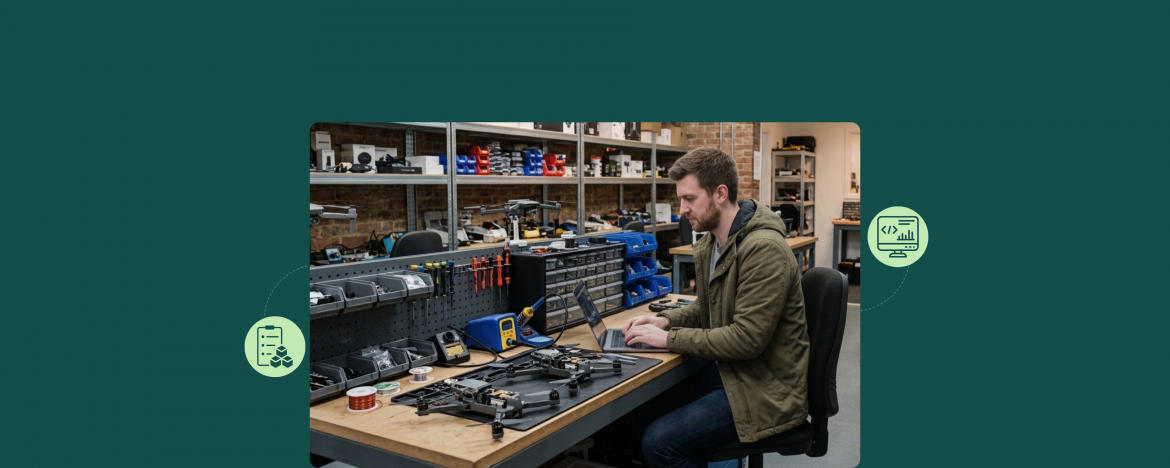
Running a drone repair shop is unlike any other repair business. The gear costs more, the parts come from different vendors, and half the work happens in the field.
That’s why drone repair shops need software built for their business, not adapted from someone else’s. So we spoke with drone repair shop owners who deal with daily challenges and asked what they actually need.
Here’s what they told us, and how RepairDesk helps drone repair stores manage every step of the workflow.
What Makes Drone Repair Different
Drone repair looks a lot like other electronics repair on the surface. But the details make it a very different business.
Before that, if you are a newbie or are planning to offer drone repair services, you must know that the industry is growing significantly. The drone repair market is expected to grow at a CAGR of 14.8% from 2026 to 2033. So, you can surely step into this market if you have some prior experience and are passionate about drones.
Here are the things that make it different.
The Equipment is Expensive
Consumer drones start at $500. Commercial drones run $5,000 to $20,000. Agricultural spray drones can cost up to $25,000 or more. When a customer drops off a drone, you’re holding equipment worth more than most hatchback cars.
Parts are Specialty Items
DJI proprietary motors. Skydio firmware chips. Autel gimbal assemblies. Battery packs across dozens of models. Generic inventory tools can’t handle the mix.
Warranty Workflows Dominate
Most commercial drones are still under manufacturer warranty when they come in. Many customers file insurance claims on high-value crashes. An efficient drone repair shop software will have everything for documenting this.
The shops that handle all of this well grow fast. The shops that don’t lose customers to the ones that do.
Things Every Drone Repair Shop Needs
We spoke with drone repair shop owners to find out what they actually need from a management system. Three things keep coming up.
Field Service Support
A number of drone repairs happen outside the shop. A drone goes down in the middle of a mapping job. A commercial fleet needs on-site diagnostics. Similarly, an agricultural client wants a repair tech to come out during spray season.
Your software needs to support:
- Mobile access
- Instant appointment booking
- On-site invoicing and payment collection
- Real-time ticket updates
If your software only works when you’re at the counter, you need one with this feature as there are several benefits of using a field service software.
Inventory Management
Drone parts don’t come from one supplier. A single shop might order motors from DJI, propellers from Master Airscrew, batteries from third-party manufacturers, and firmware chips from Autel or Skydio.
Your software needs to handle:
- Multi-vendor parts inventory
- Serial number tracking
- Low-stock alerts
- Cost tracking to protect your margins
To ensure your customers get top-notch repairs, you may order from top drone parts suppliers.
Warranty and Insurance Tracking
Most drone repair jobs come with paperwork. Manufacturer warranties. Extended service plans. Insurance claims after a crash.
Your software needs to log:
- Manufacturer warranty status for every drone
- Insurance claim details (carrier, claim number, coverage limits)
- Photo documentation before and after every repair
- Complete service history per drone for future warranty work
A missed warranty document can turn a repair job into a loss when the claim gets denied.
What Else Sets Drone Repair Software Apart
Beyond those core needs, drone repair shops also need the standard workflow features that any modern repair shop uses:
- Repair ticket management with photo attachments
- Automatic SMS and email updates during long repairs
- Digital invoicing and multiple payment methods
- Customer asset tracking (every drone, every serial number, every service)
- Reporting on repair types, brands, and technician productivity
The difference is that all of these features have to work alongside field service, inventory, and warranty documentation. Not many platforms do that well.
How RepairDesk Handles Drone Repair Jobs
RepairDesk is built around the same workflow drone repair shops actually run.
You track parts in real time. You log serial numbers, flight hours, and warranty status for every drone that comes in. Also, you attach photos to every ticket before and after the repair. The inventory management feature also lets you create purchase orders, calculate taxes on parts, and notify you when you are low on stock.
For field service, RepairDesk works on any device through a browser. Your techs can create tickets, add photos, and invoice from a customer’s site.
For billing and invoicing, you can send estimates to customers, and turn those into invoices after their approval. Moreover, you can send payment reminders for unpaid invoices along with a payment link. Thus, you can get the cash and manage all your expenses.
What to Look for When Comparing Software
Before you sign up for any tool, ask these questions:
- Does it track parts at your stores?
- Does it support both shop and field service workflows?
- Can I document repairs with photos before and after?
- Does it handle B2B billing for commercial clients?
- Does it integrate with accounting platforms like QuickBooks Online or Xero?
- Does it support multiple locations if I plan to grow?
If a platform answers no to more than three, it wasn’t built for drone repair.
Final Word
Drone repair is a great business to start. Growing fast. Higher-value jobs than most repair verticals. And harder to run without the right software.
The shops that scale are the ones with real systems behind them. So, pick the right automation software for your repair store to simplify your workflow.
Ready to see how RepairDesk fits your drone repair business?
FAQs
1. Which Software Should I Use For my Drone Repair Service?
By far, RepairDesk is the best software for drone repair shops. It supports the entire workflow with parts tracking, serial number logging, warranty documentation, field service workflows, etc. It works for shops repairing consumer drones, commercial drones, and agricultural drones.
2. Can I Switch from Paper or Spreadsheets to RepairDesk?
Yes. RepairDesk’s onboarding team handles the full data migration at no extra cost. Most shops are fully live in about 7 days.