

A busy counter, a device open on the bench, and the phone starts ringing. You miss the call, it goes to voicemail, and by the time you listen, the customer has already called the next shop. That is what a repair shop phone system problem looks like in real life. It is not only about answering the phone. It is about capturing the lead, keeping the context, and following up fast enough to turn a ringing phone into a booked job.
That is where RepairDesk Phone System and ARIA work best together. One handles the call, the other captures details, logs everything inside RepairDesk, and keeps the follow-up moving so leads do not go cold.
Why Missed Calls Turn Into Lost Jobs in Repair Shops
In a busy shop, the phone rarely rings at a convenient time. It rings while you are mid-repair, while you are checking in a walk-in, or while you are already on another call. When that happens, a missed call is not just a missed conversation. It is often a missed booking.
The reason it hurts is speed and trust. Most customers are calling to get quick answers, a quote range, or an appointment. If they hit voicemail or get no follow-up, they move on fast. A repair shop phone system that is not integrated also creates gaps where your team loses context, repeats questions, and responds later than the customer expects.
Even when you call back, you are usually calling back cold. No clean call history in the same place your team works, no notes tied to the caller, and no simple way to see what happened earlier. Those gaps are what turn missed calls into lost jobs.
The Real Pain of a Non-Integrated Phone System
Most repair shops run solid service. The issue shows up when the phone rings at the worst possible time, and the lead slips away before anyone can respond. When that happens a few times a day, it quietly turns into fewer bookings, slower schedules, and more time spent chasing people who already moved on.
A non-integrated setup makes it harder because your calls, texts, and customer context live in different places. Your team has to remember what was said, search for numbers, and re-ask the same questions. The best improvements come from tightening the five gaps below so every caller gets a clear, consistent experience.
1) You Cannot Sell Call Logs Where You Actually Work
When call history lives outside your daily workflow, follow-up turns into guesswork. Someone calls for a quote, you miss it, and later you cannot see who called, what they needed, or whether anyone replied. The quick win is a shared call capture routine. Log the caller name, number, device, and reason in one place the moment the ring happens, even if you can only add two lines. Add a single next step, like “call back by 3 PM” or send an “estimate range.” If you run shifts, this is the difference between a clean handoff and a dropped lead. Small notes create fast callbacks.
2) You Cannot Handle Multiple Calls at Once
One line and one person answering means peak hours become a silent leak. While you are on the first call, the second caller hears ringing, then voicemail, then they try a competitor. A light fix is to treat calls like a queue, not interruptions. Use a short hold script, route overflow to voicemail with a promise of a quick text, and clear callbacks in two daily blocks. Also, decide what can be handled by text fast, like hours, location, and status checks. If a call is missed, send a same-day reply so the customer knows you are on it. That keeps trust intact.
3) Calls and Texts Come from Different Numbers
Two numbers create a broken thread. A customer calls one line, texts another, and your team spends time matching messages to the right person. The simplest improvement is to standardize what you publish and how you reply. Pick one primary public number and train staff to keep every update in the same conversation. Use short templates for the moments that cause delays, like confirming an estimate, requesting a passcode, or asking for approval. When you evaluate a repair shop phone system, make unified calling and texting a must, because it reduces confusion and speeds-up bookings. Less friction means more yes replies.
4) After-Hours Missed Calls Have No Safety Net
After-hours calls are high intent. People usually call because they want an appointment, a quick price range, or to see if you can take them today. If nothing happens after the missed call, the lead cools off fast. Salesforce reports that 77% of customers expect to interact with someone immediately when they contact a company, and that expectation does not pause at closing time. A simple safety net is an automatic text that acknowledges the call and asks for the device and issue, so you can start the conversation before morning rush. When you open, work those replies first and offer two appointment slots so the customer can confirm without another round of calls.
How RepairDesk Phone System and ARIA Fix the Whole Loop
The gaps you just saw usually happen because calls, texts, and customer context live in different places. That forces your team to switch tools, repeat questions, and rely on memory when things get busy. The result is slower responses and more missed opportunities than most shops realize.
RepairDesk Phone System and ARIA, a 24/7 AI receptionist, close those gaps by keeping call handling, follow-up, and visibility in one flow. Your team answers more calls, uses a safety net for missed calls, and sees the full story before responding, so missed calls turn into booked jobs. If you want the deeper breakdown on the phone side, it helps to understand what matters when choosing a repair shop VoIP
1) ARIA Answers Every Call and Captures the Details
ARIA acts like a front-desk teammate for your busiest moments. When your shop cannot pick up, it answers the call and gathers the information that makes follow-up fast, like the device, the issue, timing, and whether the customer wants to book. That matters because missed calls usually turn into lost jobs when the callback happens with no context, and the customer has to repeat everything. With clean details captured up-front, your team can respond with a clear next step instead of starting from scratch. It keeps your technicians focused, reduces back-and-forth, and gives customers the feeling that the shop is responsive even when the counter is packed.
2) One Number for Calls and Texts
Keeping calls and texts on one number removes a lot of back and forth for customers. With the Phone System inside RepairDesk, callers can ring and then text follow-up details like a model number or a photo without switching numbers or confusing your team. That speeds up approvals because the conversation stays in one thread instead of splitting across channels. It also helps your staff reply faster with short confirmations and appointment options. A simple best practice is to keep two saved replies for common moments like quote ranges and pickup notifications. When everything stays under one identity, the customer feels handled, and your team stops wasting time matching messages to the right person.
3) Call Logs Live Inside RepairDesk
Call history should live where the work happens. With call logs inside RepairDesk, your team can see who called, when they called, and what was discussed, then respond with context instead of restarting the conversation. That is a big deal for shift handoffs because the next person can pick up the thread without guessing. If you are trying to fix a repair shop phone system problem, visibility is one of the fastest wins because it drives consistent callbacks. Track the call, add a note, and attach it to the customer record so the next touch is always informed. You also reduce repeat questions, which customers notice right away.
4) Auto SMS on Missed Calls
Speed wins bookings, especially when a customer is calling multiple shops. RepairDesk can send an automatic text when a call is missed, so the caller gets an immediate response instead of silence. That message can set expectations and collect a key detail like the device and issue, which makes the return call short and useful. A high-performing message asks one question and offers one clear next step, like reply with your model and the problem. The real benefit is consistency. Even on the busiest days, every missed call gets the same safety net, so leads do not cool off overnight or disappear during peak hours.
5) Multi-Line Support So Nothing Slips
Rush hours are where most calls slip. Multi-line support in the RepairDesk Phone System helps you handle more than one inbound call at a time, so the second caller does not default to voicemail and move on. It also takes pressure off your technicians and counter staff because the phone does not force constant context switching mid-repair or mid-check-in. You can route new repair inquiries to the right place while keeping status checks moving without derailing the bench. More calls get answered, more questions get handled on the first touch, and more appointment requests turn into confirmed bookings. It is a quieter shop experience and a fuller calendar.
The Missed Call to Booked Job Workflow
A missed call does not have to mean a missed booking. The difference is whether your shop has a repeatable flow that captures the lead, keeps the context, and makes the follow-up automatic instead of depending on someone remembering later.
This workflow is how RepairDesk Phone System and ARIA close the gap between the ring and the repair. Each step removes one common failure point, so callers get handled quickly, and your team responds with the right details the first time.
Step 1: The Call Comes In
The customer calls with a simple goal and that is to get a quote, confirm pricing, or book a time. If your team is busy, ARIA can answer, so the caller does not hit a dead end. If the line is busy, multi-line handling keeps the next caller from disappearing into voicemail. This is where most shops lose people, not because they do not care, but because the shop is doing real work. Capturing the call at the door is the first win. It keeps the customer engaged long enough for you to move them to the next step instead of losing them to the next shop.
Step 2: The Caller Gets Help Immediately
The call gets a real response, even if your team cannot pick up right away. ARIA can gather the basics that actually help your staff follow up, device type, issue, urgency, and whether the customer wants an appointment. That one change removes the usual back-and-forth where customers repeat themselves and get impatient. It also protects technician’s focus because you do not have to stop mid-repair just to collect initial details. The caller feels heard, the shop keeps moving, and you now have enough information to respond with a clear next step instead of a vague callback.
Step 3: Everything is Logged Inside RepairDesk
Once the call is captured, the key is visibility. Call logs inside RepairDesk mean your team can see who called and what the conversation was about before they reply. That prevents cold callbacks where staff ask the same questions again. It also makes shift handoffs clean because the next person can continue the thread without guessing. A good habit here is adding one short note that states the reason for the call and the next step. When calls become trackable, follow-ups become consistent, and consistency is what turns inquiries into booked jobs.
Step 4: The Customer Gets a Text Follow-Up
Follow-up is where leads usually go cold, especially after hours or during rush windows. The best follow-up texts do two things, confirm you saw the call and ask one simple question like what device and issue they have. That keeps the conversation moving without waiting for someone to free up. It also creates a written thread your team can use later when scheduling or confirming pricing. When you reply fast and confirm the next step, you also help reduce missed appointments in repair shops because customers know exactly what is happening and what they need to do next.
Step 5: Your Team Responds With Full Context
When your staff follows up, they should not have to restart the conversation. With the phone activity tied into your RepairDesk workflow, your team can see call details, notes, and the message thread before responding. That means fewer repeat questions, fewer mistakes, and a smoother customer experience. It also speeds up the booking moment because your team can move straight to the decision point, confirming availability, sharing an estimate range, or requesting approval. Customers feel like the shop is organized, which builds trust fast. Trust plus speed is what closes bookings.
Step 6: Recordings Back You Up If Anything is Disrupted
Bookings do not end at scheduling. They end when the customer feels confident about the quote, the timeline, and what happens next. Call recording helps when there is confusion later because your team can confirm what was promised and under what conditions. That keeps disputes short and professional. It also improves quality inside the shop. Listening to a few calls each week helps you tighten how estimates are explained and how expectations are set, especially across multiple staff members. Over time, that makes conversations more consistent and reduces the friction that slows approvals. Cleaner calls lead to cleaner bookings and fewer headaches later.
What Merchants Say After Switching to RepairDesk Phone System and ARIA
Shop owners usually do not care about feature lists. They care about what changes on a normal Tuesday when the counter is packed and the bench is full. That is why real merchant feedback matters here, because it reflects what actually improves when calls stop slipping.
Across the quotes below, the pattern is consistent. More calls get handled, more leads stay warm, and teams feel less pressure to drop what they are doing just to protect revenue.
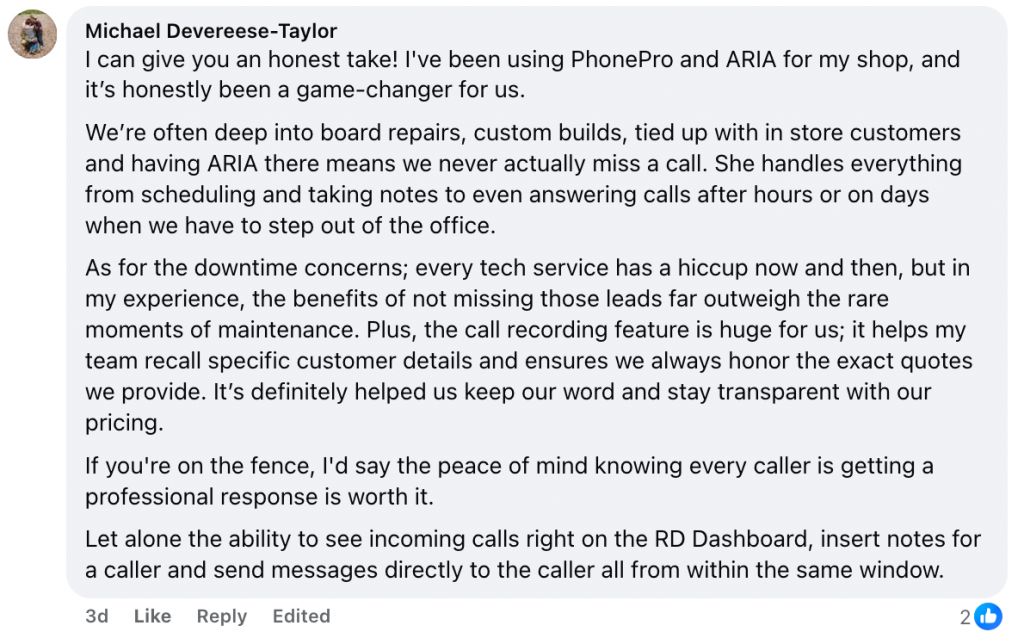
1) Never Miss A Call Even During Repairs or After Hours
Michael Devereese-Taylor from Tailored Computer Care describes the exact situation most busy shops live in, board repairs, custom builds, and in store customers at the same time. His takeaway is blunt, “we never actually miss a call.” He also calls out the peace of mind of having calls answered after hours or when the team has to step out. That is where many shops lose high-intent leads, not because they do not want the work, but because nobody can respond in the moment. When the system covers that gap, you stop leaking jobs to competitors while you are doing actual repairs.
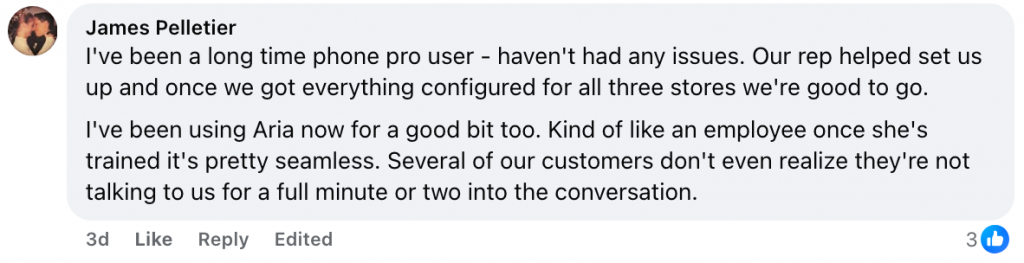
2) Customers Think A Real Person Picked Up
James Pelletier from Wireless Solutions and Accessories highlights how natural it feels on the customer side. He shares that “several of our customers don’t even realize” they are not speaking to the team right away. That matters because customers call repair shops with urgency. If they feel ignored, they bounce. If they feel handled, they stay. The value here is not a novelty factor. It is continuity. The caller gets immediate help, the shop gets clean details, and the human follow-up starts with context instead of confusion. That smooth first touch is often what wins the booking.
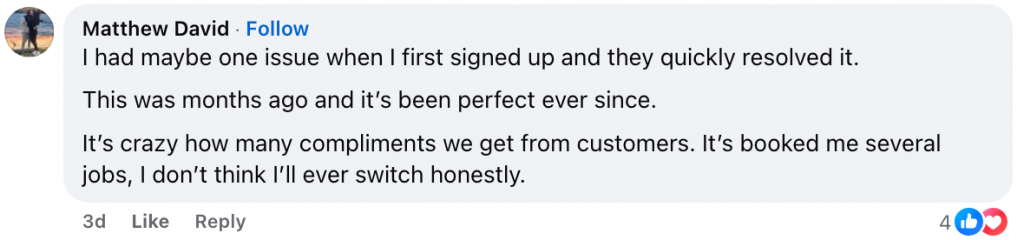
3) Booked Jobs from Calls That Would Have Been Missed
Matthew David from Repairology points to the outcome every shop wants, more work booked without adding more chaos. He says it has been “perfect ever since” and that it is “booked me several jobs.” That is what happens when callers get a response and your team has the context to follow through fast. Missed calls stop being dead ends and start becoming conversations you can recover. The practical takeaway is simple. When you capture the lead at the moment it comes in and follow-up consistently, your calendar fills from opportunities you were already getting but could not hold onto.
4) Caller ID and Recording Are the Standout Features
Jeff Baker from One Bite Technology keeps it short and clear. He says the caller ID and call recording is “invaluable.” That word makes sense because those two features solve real headaches fast. Caller ID reduces the friction of figuring out who is calling and whether it is a new lead, a pickup, or a status check. Recording protects your shop when quotes or promises get questioned later, and it helps you coach staff on how to explain estimates cleanly. If your repair shop phone system lacks visibility and proof, small misunderstandings turn into long conversations. These tools reduce back-and-forth, cut confusion, and help customers book with confidence.

The Bottom Line
When the phone is not connected to how your shop actually runs, missed calls turn into missed revenue. Customers do not wait long, and the shops that respond first usually win the booking.
RepairDesk Phone System and ARIA close that gap by answering more calls, keeping the conversation in one place, and making follow-up consistent even during rush hours and after hours. If you have been trying to tighten your repair shop phone system without adding more stress on your team, this is the kind of setup that helps you stay responsive while the bench stays focused.
FAQs
1) What is a repair shop phone system?
A repair shop phone system is a calling and texting setup built for repair businesses that need to handle high call volume, keep customer context, and follow-up quickly. It helps your team capture leads and manage conversations without relying on memory or scattered tools.
2) How do RepairDesk Phone System and ARIA turn missed calls into booked jobs?
They reduce missed calls, capture caller details, and keep follow-up consistent through call logs, texting, and after hours coverage. That makes it easier to respond fast and book the job before the customer calls another shop.
3) Can ARIA answer calls after hours?
Yes. ARIA can answer calls when the shop is closed, capture the caller’s details, and help keep the lead warm until your team follows up during business hours.
4) Does a repair shop phone system support call logs and texts in one place?
Yes. With an integrated setup, your team can track calls and keep conversations organized so follow-ups happen with context instead of starting from scratch.
5) How does call recording help a repair shop?
Call recording helps resolve quote disputes, confirm what was promised, and keep expectations clear. It also improves team consistency by making it easier to review and refine how estimates and timelines are explained.


