
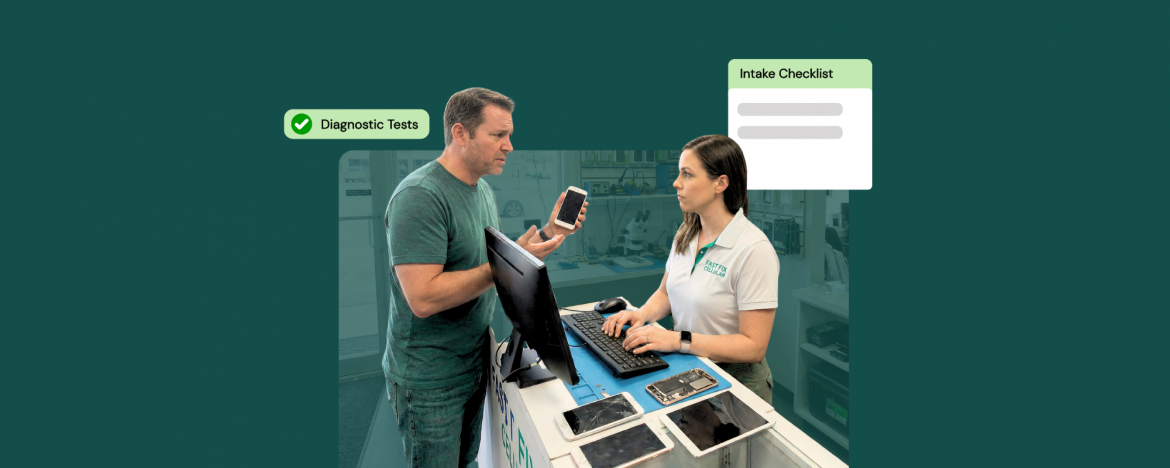
A laptop gets dropped off for a small issue, and the ticket sounds simple, until it hits the bench and will not even power on. That is when the arguments start. A two-minute counter routine keeps that from happening. The quickest way to avoid the mess is to treat the repair shop intake process like a baseline check, not a formality, so everyone agrees on the starting condition before any work begins.
A short checklist helps, but what really saves time later is repair shop intake documentation that is easy to pull up during a tough conversation. With repair shop management software, you can capture condition notes, photos, and customer approvals in the same ticket, so the story does not change halfway through the repair, and you stay focused on the fix.
Why the Customer Description is Not Enough
Most customers are not trying to cause trouble. They explain what they noticed last, not what the device is actually doing. A laptop might have started with slow boot, random shutoffs, or a charge issue, but by the time it reaches the counter, the situation may have changed. That is why the repair shop intake process has to confirm the starting condition, not just capture the story.
A quick device check helps you spot the gaps right away. If it will not power on, you know before the customer leaves. If it does power on, you can note that too. Either way, you have a clear baseline that keeps the next conversation grounded in facts.
There is also the harder reality. Some customers frame a drop-off as a small complaint, even when the device has bigger problems. Without a baseline, the blame can land on the shop later because there is nothing to point back to. When that happens, it helps to know how to turn repair mistakes into second chances and bring the conversation back to trust.
7 Ways to Prevent Intake Disputes Before They Start
Intake disputes usually happen because the starting condition was never confirmed. The goal is not to run a long inspection at the counter. It is to build a quick routine that creates a clear baseline, sets expectations, and keeps the ticket clean. These seven steps are designed to fit into a busy front desk flow without slowing the line down.
1) Run A Power-On Test at Check-In
Plug the device into a known good charger and try a normal start while the customer is still at the counter. If it boots, note powered on at drop-off. If it does not, note that and shift the job to diagnostics. This single habit makes the repair shop intake process factual instead of conversational. It also blocks the classic line, it worked before I brought it here, because you both saw the same result. Ask the customer to watch the screen and the power light, then sign off on the condition before you accept the ticket.
2) Ask the Customer to Show the Issue
Have the customer demonstrate the complaint, even if it feels obvious. For a charge issue, connect the cable and watch for a response. For a screen problem, ask them to show the flicker or dead zone. This keeps expectations grounded and stops confusion later. Then capture the exact symptom in plain language, not tech jargon, and confirm it out loud. Good repair shop intake documentation is less about writing more and more about writing the right thing. When the customer hears their issue repeated accurately, they are far less likely to rewrite the story later. It helps techs start faster.
3) Test the Basics Tied to the Complaint
After power, check only the basics that connect to the complaint. If they reported overheating, confirm fan noise and airflow. If they mentioned random shutdowns, check battery health indicators and power connector fit and if keyboard is the issue, test a few keys and trackpad clicks. This is not a full diagnostic, it is a baseline that prevents surprises. It matters because customers judge the whole visit on how the experience feels. Treat the repair shop intake process as standard here. Salesforce reports that 80% of customers say the experience is as important as a company’s products and services.
4) Do a Quick Visual Condition Check
Do a quick condition scan before the device disappears behind the counter. Look for cracks, bent corners, loose hinges, missing screws, bulging batteries, and liquid indicators. Ask the customer whether it has been dropped or exposed to moisture, and record the answer. Then write what you see in simple terms and attach a couple of photos. This is where repair shop intake documentation does real work, because it captures the starting condition without debate. If a customer later points at a crack or dent, you can refer back to the ticket and keep the conversation grounded before anyone gets frustrated.
5) Capture Photos and Attach Them to the Ticket
Photos turn opinions into facts. Take two clear shots of the device front and back, then close-ups of any damage you noticed. If the issue is cosmetic, include the exact spot that matters, like a hinge gap or a bent frame. Use good lighting and keep the background simple so the image is readable later. Attach the photos to the same ticket, not a personal phone album, so any team member can find them. When a customer questions what happened, you are not relying on memory. You are pointing to a time-stamped record tied to the work order.
6) Write Clear Intake Notes that Remove Ambiguity
Write notes that leave no room for interpretation. It’s suggested to use short and crisp sentences, such as powered on with charger or no response on the power button. Don’t write vague lines, as this will create confusion. If you cannot test something because of a password, write that so everyone knows. If the customer declines a diagnostic, write that too. These notes are for the future version of you who is handling a complaint a week later. Clear notes keep the discussion about facts, not feelings. Read the notes back to the customer and get a yes from them instantly.
7) Set Expectations with a Signed Intake Form
A signed intake form sets expectations before emotions get involved. Keep it simple and readable. State that devices can have hidden faults, prior damage, or liquid exposure that may affect results. Clarify that diagnostics are the first step when a device does not power on at drop-off. List your rules for deposits, approvals, and what happens if the customer declines the repair after diagnosis. Have the customer sign after the quick test and photos, not before. When the paperwork matches what they just saw, it feels fair and reduces disputes. This protects your team and sets the tone early.
How RepairDesk Helps Standardize Intake
When intake depends on memory, it breaks the moment the front desk gets busy. RepairDesk helps turn your routine into a repeatable flow that every staff member can follow. You can build ticket templates with required fields for condition checks, the problem description, and what was tested at drop-off, so nothing important gets skipped. Photos can be added directly to the ticket, which keeps the baseline in one place instead of scattered across phones or chats.
RepairDesk makes repair shop intake documentation easier to maintain because everything lives inside the same work order. Notes, photos, customer answers, and status updates stay attached to the ticket, so you can pull up the exact baseline in seconds if a question comes up later. That keeps conversations grounded and protects your team from having to rely on memory or guesswork.
You can also train the counter team to follow the same intake rhythm every time by using saved workflows and internal prompts inside the ticket. Intake is also where customers decide if your shop feels organized, and those details connect directly to a white glove customer experience at your repair shop. When the intake is consistent, the entire shop runs smoother, and disputes become the exception instead of the weekly routine.
Conclusion
Most repair disputes do not start at the bench. They start at drop-off, when the device condition is assumed instead of confirmed. A simple routine built around a power check, a few basic checks, photos, clear notes, and a signed intake form gives you a baseline both sides can agree on. When you treat the repair shop intake process like a standard step, not an afterthought, you protect margin, reduce stressful conversations, and keep tickets moving. Customers see consistency, feel heard, and trust the next update. That means fewer refunds, fewer angry calls, and more time for real repairs.
FAQs
- What should a repair shop check at device drop-off to avoid disputes?
At drop-off, confirm the device powers on, verify the customer complaint, note visible condition, take photos, and capture a signature on the intake form. - How do repair shops prove a device did not power-on before the repair?
Run a power-on test at check-in, record the result in the ticket, attach photos of the device condition, and have the customer sign off on the documented baseline. - What should be written in repair shop intake notes to remove ambiguity?
Use clear statements like powered on with charger, no response to power button, charge light present, screen flickers at login, and not tested due to no access, plus time and date. - Do repair shops need customers to sign an intake waiver?
A signed intake form is strongly recommended because it confirms the starting condition and sets expectations about diagnostics, hidden faults, prior damage, and approval steps before work begins.


