
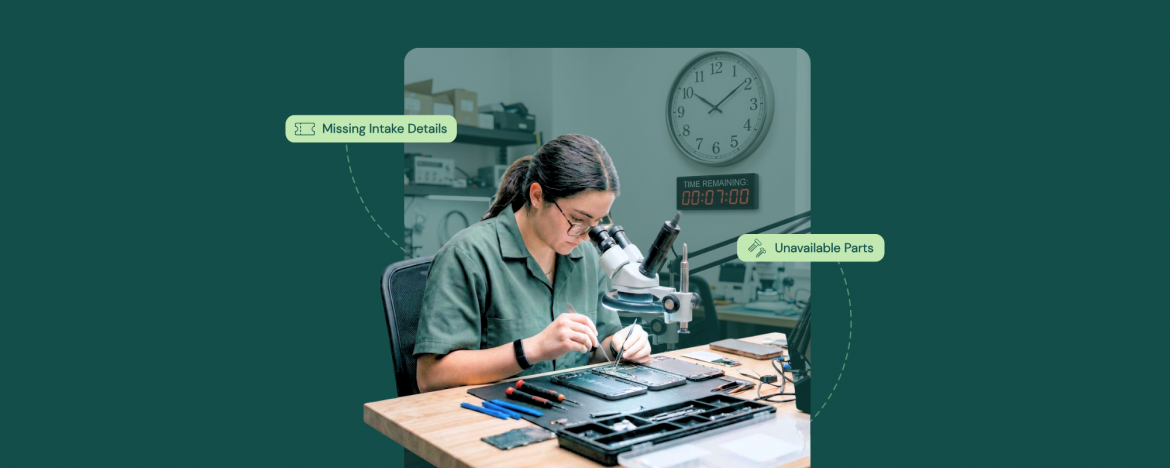
Repair delays rarely show up as one big disaster. They usually start with a tiny slip that feels harmless in the moment. Someone misses a note at intake, does not confirm the part, and does not chase approval. Suddenly, the promised pickup time becomes a moving target.
What helps is having a repeatable way to catch those slips early, before the job goes cold in the queue. When the shop runs on clear checkpoints and work order management software, you can see what is waiting on parts, what is waiting on a customer, and what is waiting on your own team.
Before you can prevent delays, it helps to get honest about where they actually begin. The same patterns trip up most shops, and they show up long before the repair work even starts.
Why Repair Jobs Get Delayed in the First Place
Most repair delays happen in the waiting moments that your team does not always see in real time. A job can be technically ready, but it still stalls because the intake missed a key detail, the customer has not approved the updated estimate, a part ETA is unclear, or the handoff between shifts did not leave a clean next step.
The fastest way to reduce delays is to make every work order answer three questions at all times:
- Who owns it?
- What is it waiting on?
- What happens next?
That is exactly where work order management software earns its keep, because it turns vague shop memory into visible status, deadlines, and follow-ups that keep jobs moving even when the counter is busy.
When those basics are consistent, your turnaround times stop depending on heroic effort. Instead, they start depending on a process that holds up even on the busiest weeks.
7 Reasons Why Repair Jobs Fall Behind Schedule
Delays usually look random from the outside, but inside the shop, they follow a pattern. A decision point slows a job down when no one knows what happens next, or when the next step depends on something the team does not track clearly.
The good news is you do not need a complete overhaul to fix this. A few consistent checkpoints, plus clear visibility in work order management software, can stop small stalls from turning into multi-day delays.
Here are the seven most common reasons repairs fall behind schedule, starting with the one that causes problems before the work even begins.
1) The Ticket Is Missing Critical Intake Details
Most delays start before the repair even begins. When intake is light, the tech has to pause to recheck the device, re-ask the customer, or hunt for basics like the exact model, passcode, symptoms, or what accessories were dropped off.
That back-and-forth breaks momentum and makes ETAs slippery fast. It also creates inconsistency, because two staff members can read the same ticket and still come away with different assumptions about what happens next.
The Fix
Make intake a quick but non negotiable routine and require your team to complete a minimum set of fields every time. In work order management software, lock those fields as required so the job cannot move forward until the essentials are captured. You can then add a single line that states the next step so there is no ambiguity.
2) Customer Approval Takes Too Long
A repair can be fully diagnosed and ready to move forward, yet still sit idle because it is waiting on a yes. The longer that approval drags, the more the job loses momentum, and it quietly slides behind newer work that feels easier to complete.
This gets worse when the customer does not understand what they are approving. If the message is vague or overloaded with jargon, people hesitate, ask more questions, or simply stop responding until they have time, and your bench time turns into waiting time. If you already have a process for late arrivals and no shows, apply the same deadline-and-follow-up discipline to approvals so work does not sit in limbo.
The Fix
Send approvals in a format that makes a decision effortless. Keep it to four pieces of information:
- What you found?
- What will it cost?
- What does the customer need to reply with?
- A clear deadline so the job does not linger
Then follow a simple cadence and keep it consistent every time. Do a same day check in, a next day follow up, and a final notice that explains you will pause the job if no one responds.
3) Parts Are Not Available or Are Ordered Too Late
Parts-related delays usually happen in two ways. Either the part was never confirmed early, so ordering starts after diagnostics, or the part was ordered but arrives late due to backorders, vendor delays, or shipping surprises.
The other common issue is mismatch. A similar looking part shows up but does not fit the exact model revision. Now the team pauses the job again while it sources the right part, returns the wrong one, and waits for the replacement shipment, which can easily add days.
The Fix
Treat parts as a decision point, not an afterthought. The moment you confirm the likely part, verify compatibility against the exact model identifier, then place the order the same day whenever possible. If a part is backordered, contact the customer immediately with two options:
- Wait with a revised ETA
- Choose an alternative
This keeps the job under control instead of letting it drift silently.
4) Diagnostics Keep Changing Midstream
Some jobs start with one complaint and then turn into three. The device comes in for a simple issue. Once your team opens it up, they find hidden damage, prior repair problems, or symptoms that only show up under certain conditions. The original plan no longer fits.
This creates delays because the job keeps looping back to the same steps. You diagnose, you start, you discover something new, you pause for another check, and the clock keeps moving while the customer feels like nothing is happening.
The Fix
Standardize a first pass diagnostic routine so the most common failure points get checked before you commit to a plan. Test and document what you checked and ruled out. Set expectations early by explaining that diagnostics can reveal additional issues and that you will confirm before you proceed. When something new is found, update the scope once, clearly, with the revised cost and timeline, instead of letting the repair evolve through multiple small surprises.
5) The Job Gets Stuck in Handoffs Between Staff or Shifts
A job can be half done and still feel invisible if nobody clearly owns the next step. One person says the job is waiting on parts and another says it is pending a customer reply. By the time the team notices the mix up, the repair has already lost a day.
Handoffs also break down when notes are too thin to act on. “Checked device” or “needs follow-up” does not tell the next person what was tested, what is confirmed, or what should happen next, so they either repeat work or delay the job until the original tech is available. Clear ownership and specific notes also reduce tracking mistakes before they turn into finger-pointing when customers ask for updates.
The Fix
Make handoffs explicit and status-driven. Every work order should have an owner, a clear current status, and a single next action that the next person can complete without guessing, which is easy to enforce with work order management software using required fields and simple status steps. Add a short shift handoff note that answers what was done, what is pending, and what you want the next person to do, and you will stop losing time to repeat checks and stalled tickets.
6) The Customer Drops Off the Wrong Device
This one sounds rare until you see it a few times. Customers often have multiple similar devices at home, and it is surprisingly easy to grab the wrong phone, the wrong laptop, or the right device with the wrong accessories, especially when two models look identical from the outside.
It is not just bad luck either. Parks Associates found the average number of connected devices per US internet household reached 17 in Q3 2023. This explains why mix-ups happen more than shops expect. When the wrong device gets checked in, everything downstream gets delayed because diagnostics do not match the complaint, parts get sourced for the wrong model, and your team wastes time confirming what should have been obvious at the counter.
The Fix
Build a fast verification habit into intake. Confirm the exact model and identifier, match it to what the customer described, and do a quick visual check that the device in hand is the one on the ticket before it ever reaches the bench. Then document what was actually received, including accessories, so if there is any confusion later, your team has a clean reference point, and the job does not get stuck in avoidable back and forth.
7) Pickup and Payment Get Messy at the End
A lot of shops lose time right at the finish line. The repair is done, but pickup drags because the customer is not reachable, the authorized pickup person is unclear, or the total due surprises them, so the device sits in “ready” status while your team keeps checking in and waiting.
This also creates workflow noise, because closeouts are supposed to be quick. When they turn into multiple calls, partial payments, or last-minute questions about what was done, it slows the counter, delays other pickups, and makes the end of the day feel heavier than it should.
The Fix
Set pickup and payment expectations earlier than you think you need to. Confirm who will pick up, what they need to bring, and what the expected payment method is, then send a completion message that includes the total, the pickup window, and any final instructions. In work order management software, keep closeout consistent by using the same finish steps every time so “repaired” always means the same thing, and you are not reinventing your process at the busiest moment.
A Simple Weekly System to Reduce Delays
If repairs are slipping, the fix is rarely working longer hours. It is catching stuck jobs early, before they turn into awkward customer updates and last-minute scrambling at the counter. A simple weekly review gives you that control because it forces every open job to have a clear reason for being open.
Once a week, do a quick queue sweep and sort everything into four buckets:
- Waiting on customer approval
- Waiting on parts
- Waiting on technician action
- Repair complete, pending pickup
You can then clear the easy blockers on the spot, resend approvals, confirm part ETAs, assign an owner to anything that looks orphaned, and contact customers whose devices are finished but sitting.
Finish by setting one rule for the week that keeps jobs moving. Every open work order must have an owner and a next step, and anything with no movement for two business days gets a same day follow-up. That tiny discipline is what keeps a busy shop from turning into a pile of half-finished work.
Conclusion
Repair delays usually come from the same few patterns, and once you name them, they get easier to control. Intake gaps create rework, approvals create waiting, parts create uncertainty, and handoffs create ambiguity, then pickup adds one last chance for a job to sit longer than it should.
The practical move is to run your week on visibility and next steps. Every open job should have an owner, a reason it is still open, and a clear action that moves it forward today. This is exactly what work order management software helps you enforce without relying on memory.
When those habits are consistent, timelines get easier to quote, updates get easier to send, and your team spends less time chasing answers and more time finishing repairs.
FAQs
1) Why do repair jobs get delayed most often?
Most delays come from missing intake details, slow customer approvals, parts availability, unclear handoffs, and messy closeouts. These create waiting time that stacks up even when techs are busy.
2) How can a repair shop reduce delays quickly?
Standardize intake, send approvals in a simple yes or no format, and track parts and owners for every job. A weekly queue review to clear stuck work prevents small stalls from turning into multi-day delays.
3) What should a shop do when a customer is not approving a repair?
Send a clear approval message with the finding, price, and a reply option like approve or decline, plus a deadline. Follow a consistent follow-up cadence and pause the job if there is no response.
4) How does work order management software help prevent repair delays?
It makes job status, ownership, and next steps visible so nothing sits unnoticed. It also supports required fields, follow-up reminders, and consistent closeout steps to keep repairs moving.


