

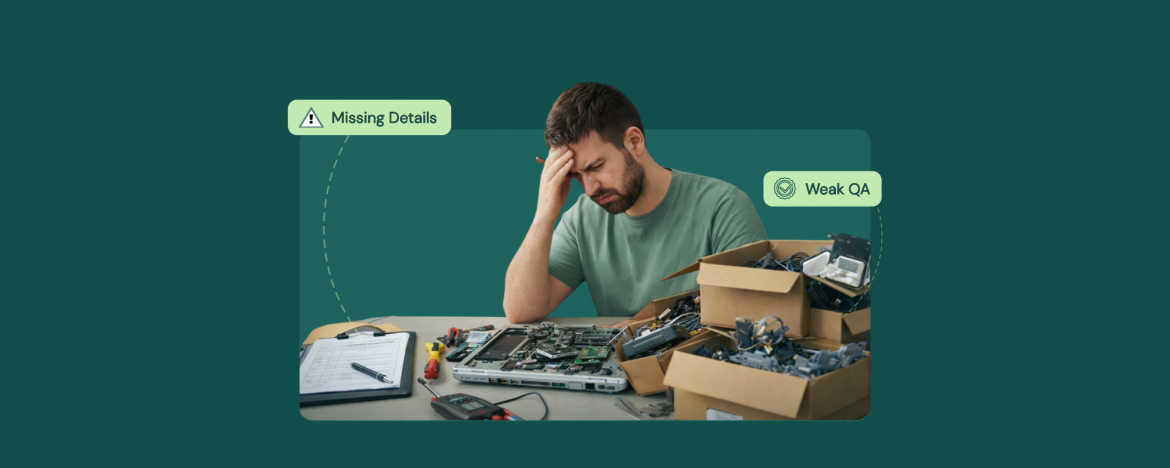
Most computer repair shops do not slow down because the team is lazy or the bench is empty. They slow down because small gaps stack up all day. A missing password turns into a second call. A quick diagnostic turns into a redo because the steps were not written down. An estimate sits in limbo because approval is unclear. Then parts arrive late, quality checks get rushed, and tickets drift at handoff time. If this sounds familiar, you do not need more hustle. You need fewer bottlenecks and a tighter flow that anyone on the team can follow. The right computer repair shop management software helps you spot where time disappears and fix it with repeatable steps.
Why Repairs Slow Down Even When Your Team is Busy
Busy does not always mean progress in a repair shop. Repairs slow down when tiny gaps trigger extra steps and repeated conversations. For instance:
- Missing login details causes callbacks.
- Diagnostics get redone when notes are thin.
- Estimates wait because the customer is unsure what they are approving.
- Parts are ordered late or arrive wrong.
- Quality checks slip when the bench is crowded.
- Tickets drift during shift changes because ownership is unclear.
When the workflow is not consistent, time disappears between stages. A clear queue, standard notes, and approvals keep momentum even on hectic days. Everyone knows what the next step is, and they all perform their respective tasks, which keeps the work moving.
The Biggest Slowdowns Inside a Computer Repair Shop
Most delays are not caused by tough repairs. They usually arise as a result of messy handoffs and missing details that force the staff to double back. You can make the workflow smooth and consistent by using computer repair shop software to stop your store from bleeding at every stage.
Here are the seven bottlenecks that usually cause the pileups.
1) Sloppy Check-in and Missing Intake Details
This is where the day quietly starts to slip. If the ticket begins without the basics, everything after that becomes guesswork. Capture the device model, serial number, visible condition, and the exact symptom in the customer’s words. Confirm passwords, two-factor access, and whether data must be preserved. Note any accessories left with the device and set a promised update time. If you take a deposit, record it immediately. Intake consistency often comes down to having the same steps every time, and intake and workflow SOPs help teams standardize what gets captured before work starts.
2) Diagnostics Without a Repeatable Checklist
Diagnostics gets slow when every technician starts from scratch. A repeatable checklist keeps you from missing the obvious and repeating the same tests twice. Start with power and charging, ports, storage health, temperature, fans, and error logs. Then run the same quick checks for common issues like bad RAM, failing drives, loose cables, and software conflicts. Write down what you tested, what you ruled out, and what you still need to confirm. When the next person opens the ticket, they should know exactly where to continue. With computer repair shop management software, you can standardize these steps and attach results to every ticket.
3) Estimates that Are Hard to Approve
Estimates stall when they read like a parts list instead of a clear decision. Give one primary recommendation, one optional add-on, and a firm total with tax. Add photos, a short plain language explanation, and what happens if the customer waits. Include an approval link by text or email, plus an expiration time so the bench does not sit idle. If you need a deposit, state it upfront and record it on the ticket. Salesforce reports 79% of customers expect consistent interactions across departments, yet 55% say it feels like separate departments, so your estimate should carry the full context.
4) Waiting on Customer Approval and Slow Follow-ups
Waiting on approvals is where good tickets go to die. Set a default update rhythm so customers know when to expect you, then make approvals one tap. Send a short message that repeats the issue, the fix, the total, and the ready by date. If you do not hear back, follow a simple ladder, one message, one call, then a final note that the ticket will pause after a set time. Log every contact attempt inside the ticket so anyone can pick up the thread. A lot of approval delays are really decision friction, and ways to reduce approval drop-off can help you tighten the message and timing without sounding pushy. With computer repair shop software, approvals move faster and follow-ups stay consistent.
5) Parts Ordering Chaos
Parts delays are rarely just shipping. They come from unclear ownership and weak tracking. Decide who confirms availability, who places the order, and who checks it in when it arrives. On the ticket, record the exact part name, spec, supplier, cost, and expected delivery date. When a part is backordered, message the customer the same day with options so the job does not sit quietly for a week. Keep a short list of trusted vendors for your most common parts and stop buying one-offs from random sources. A simple receiving checklist prevents wrong parts and returns that steal another day.
6) Weak QA and Rework
Rework eats up time twice. Once when you fix it, and again when you explain it. Build a quick QA routine that runs before every pickup. Confirm that the original issue is gone, run a basic stress test, and check the usual trouble spots like ports, WiFi, audio, camera, and keyboard. If you replace parts, verify fit, adhesives, screws, and thermal paste. Add a simple checklist to the ticket and require a sign-off, so QA is not skipped when the shop is busy. The goal is not perfection. It is consistency. A repeatable QA step reduces comebacks and protects your schedule.
7) Poor Ticket Handoffs and End-of-Day Drift
Tickets drift when ownership changes without a clean handoff. At the end of each shift, update every open ticket with what was done, what is blocked, and the next action. Assign a clear owner, even if the work will move to another technician, so someone is responsible for the next update. Use short status tags, like waiting on approval, parts ordered, QA pending, and ready for pickup. Then run a five-minute huddle to clear the stuck items before they become tomorrow’s backlog. You can use computer repair shop management software to make sure handoffs stay visible, and no ticket disappears into the cracks overnight.
Conclusion
A busy bench can still produce slow outcomes when the workflow leaks time in small places. Tight intake, consistent diagnostics, clearer estimates, faster approvals, cleaner parts tracking, and a real QA routine will do more for speed than pushing your team harder. What you want is fewer tickets stuck, fewer callbacks, and fewer surprises at pickup. When each stage is documented and ownership stays clear, the shop stays predictable even during rush hours. If you want those habits to stick across the whole team, computer repair shop management software helps you turn the process into a shared system instead of tribal knowledge.
FAQs
- What are the most common bottlenecks in a computer repair shop
Sloppy check in, inconsistent diagnostics, unclear estimates, slow approvals, parts delays, weak QA, and poor handoffs. - How do I speed up check in at my computer repair shop
Use a standard intake checklist and capture access details, symptoms, and device condition upfront. - Why do computer repair estimates take so long to approve
They are unclear. Keep them simple with one recommendation, a total, and an easy approve option. - How can a computer repair shop reduce parts ordering delays
Assign one owner, track specs and ETAs on the ticket, and check parts in the day they arrive. - How do I reduce rework and comebacks in a computer repair shop
Run a quick QA checklist before pickup and require a sign off on every ticket


