

Let’s get this fact straight.
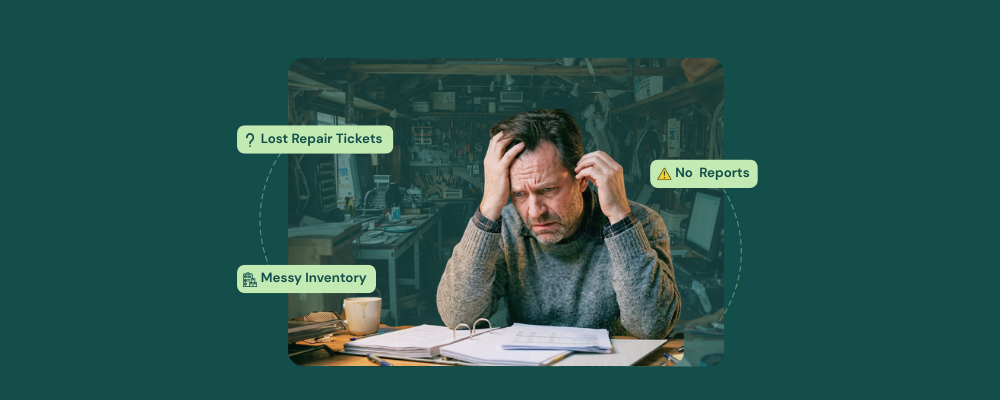
You didn’t get into the repair business just to deal with outdated or below-average repair software. However, you still somehow end up switching tabs, manually tracking down repairs, and wondering if your system is actually built for growth.
Many repair shop owners reach a point where their software choice starts to limit their growth. The good news: switching to the best repair shop software isn’t difficult. The even better news? RepairDesk was built exactly for this moment!
Here are five warning signs that your current system is failing you.
1. Your Repair Ticket System Cannot Keep Up with Your Ticket Volume
A repair ticket is a digital record that keeps a record of
- The customer’s name
- Device model
- Reported fault
- Assigned technician
- Repair status
- Parts consumed
- Invoice and payment history
When such crucial information falls apart, tickets go missing, repair status is not updated, and technicians’ work goes undocumented. Shortly put, the whole workflow fails.
RepairDesk, with its repair ticket management system, creates a repair ticket as soon as the device checks in. It records the customer’s name, IMEI number, the reported fault, and estimated repair cost all on the same ticket. The software also tracks each ticket through defined time stages and informs your customer of their device progress via SMS and emails. This is how keeping the best repair shop software elevates customer experience, something almost 80% of them believe in, along with the quality of the product.
2. Inventory Management is a Guessing Game
Inventory in any repair shop is not a “set it and forget it” situation. Rather, each SKU includes the stock quantity, reorder levels, suppliers, and purchase history. If your repair shop software cannot manage these four simultaneously, you’ll end up with a bench technician reaching into a shelf that holds no stock items.
RepairDesk’s inventory module consistently monitors stock levels for every SKU, sets up low stock alerts, and automatically generates purchase orders as soon as the alert is fired. It also updates stock levels as soon as you use them in any repair ticket.
A Quick Stock Level Tip
To better manage your stock, you can structure your parts catalog using ABC analysis. This way, your high-running SKUs will never hit zero at the most inconvenient time.
3. Your POS and Repair Flow Are in Contradiction
The best repair shop POS software should do more than just process payments. It should be a one-stop to manage all of the store’s functions, including
- Linking the invoice to the designated repair ticket
- Record which parts were used
- Calculate all tax and labor charges
- Accept multiple forms of payment (cash/card/store credits, etc.)
- Manage inventory and store operations across multiple stores
RepairDesk’s point of sale supports all these functions, as well as several other features. Its billing system generates professional invoices upon job completion and derives the parts cost and labor time from the repair ticket. This optimizes the checkout process by reducing wait time and ensuring that the system fetches accurate information every time.
4. Customer Notifications are Manual or Missing
Customer service is essential to your business’s success. 93% of customers are likely to become loyal if they are satisfied with the store’s customer service. While it apparently seems daunting to keep up with the demands, it comes down to just one thing: communication.
RepairDesk specializes in this area. As soon as the status of the repair ticket changes, the customer gets a notification via SMS or email. It also sends update messages at every defined workflow stage, so the customer never has to call in and ask for updates.
Automated customer communication is not a luxury feature but a baseline expectation in 2026. If your current software lacks a backup AI receptionist or automated customer communication, and you have to attend calls and send updates to your customers manually, that software is not your support; it is a liability.
5. You Have No Proper Reporting Visibility
Every repair store needs to know
- Which technician handles the most repair jobs per week
- What SKU causes the most stockouts
- Which repair job generates the highest revenue
RepairDesk tightly integrates this data by linking tickets to technician details, parts consumed, generated invoices, and customer records. It keeps track of this in special reports, which you can access at any point in time.
Making the Switch from Other Softwares
If you are currently using any other software and are thinking of switching to RepairDesk, here’s how the process will look:
- Your data will be 100% migrated to RepairDesk for free
- It will take, on average, seven days to go live with us after your shift
- You will be getting dedicated support managers for your account
- You will have access to our videos, knowledge base, tutorials, and live demos.
- You will be able to reach out to us 24/6 for your queries
What Are You Waiting For?
If you are having trouble managing your tickets, inventory, reports, or customer communication, all you have to do is choose the best repair shop software. RepairDesk is meticulously tailored to support 14+ industry verticals, so you’ll definitely find what you are looking for in this software.
FAQs
1. Will I lose my data if I switch from RepairShopr or CellSmart POS?
No, absolutely not. RepairDesk can easily migrate your data to its system for free. Within seven days, your store will be live again.
2. I have two locations. Can RepairDesk manage that?
Yes. RepairDesk is skilled in multi-store management and maintains records of repair tickets, inventory, and technicians across all locations.
3. Do I need a separate POS if I switch to RepairDesk?
No. RepairDesk has a built-in POS system that integrates billing, inventory, employee management, and repair tickets. All repair stores ditch their standalone payment terminal entirely after switching.


