

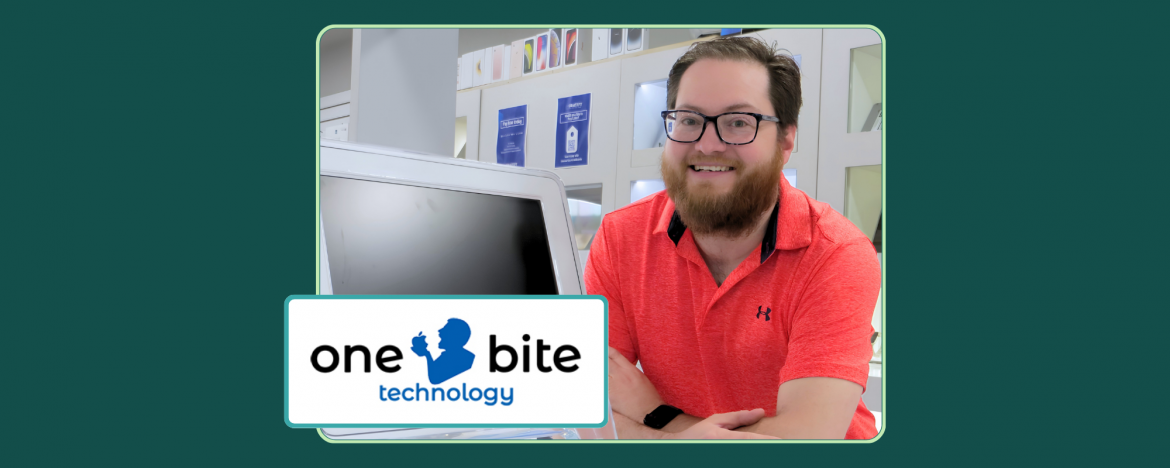
Most Apple repair shops replace what’s broken. One Bite Technology chooses to repair it, down to the logic board.
| 6+ | 90% | 4 | Reader’s Choice |
|---|---|---|---|
| Years on RepairDesk | Of Features in Use | API-based Apps | Award Winner |
| BUSINESS | One Bite Technology |
| FOUNDED | Started from home, retail store opened late 2020 |
| HEADQUARTERS | St. Albert, Alberta, Canada |
| FOUNDER | Jeff Baker |
| INDUSTRY | Apple & PC Repair, Tech Support, Used Device Sales |
| REPAIRDESK USER SINCE | 2020 |
| WEBSITE | onebitetechnology.ca |
The Business
Origin
One Bite Technology is what happens when a deeply technical Apple specialist decides to build a repair shop the right way. Founded by Jeff Baker in St. Albert, the Mac & PC repair shop started out of his home, with customers dropping off devices in a lockbox on the front porch and picking them up the same way after the repair was done.
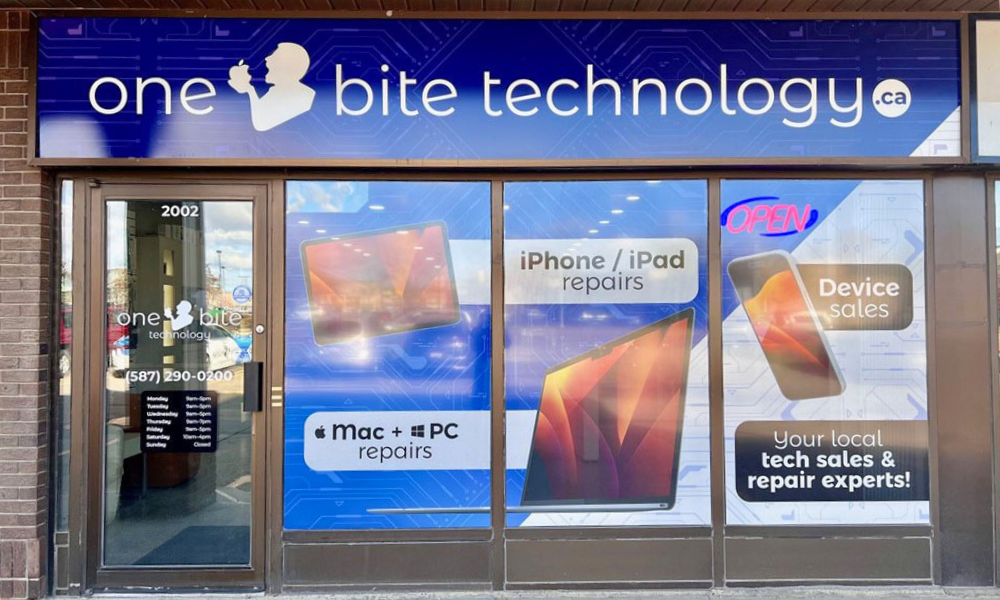
When COVID hit, and Apple’s own supply tightened, Jeff’s inventory of fixed MacBooks sold out almost overnight. The pandemic normalized remote services, and that helped the business take off. By late 2020, One Bite Technology had moved into its first retail storefront.
When a long-established local PC technician retired, Jeff moved into their space and absorbed the customer base. This propelled One Bite Technology into a full-service Mac and PC repair center.
Philosophy
What sets One Bite Technology apart is more than just Apple expertise. It’s a refusal to do things the easy way. While authorized service providers swap entire logic boards as a matter of policy, Jeff and his team repair them. iPhone and iPad displays come with a lifetime warranty against any non-physical failure.
Services
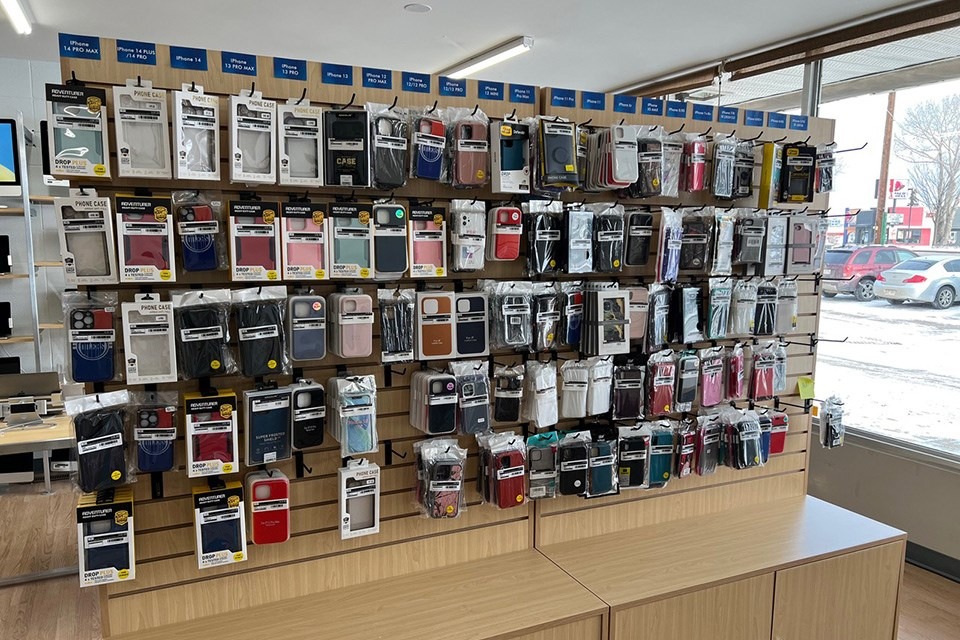
Today, the shop handles iPhones, iPads, Android phones, Windows PCs, Chromebooks, robot vacuums, and key fobs, plus board-level circuit repair, electronics recycling, training classes, and smart-home security installations.
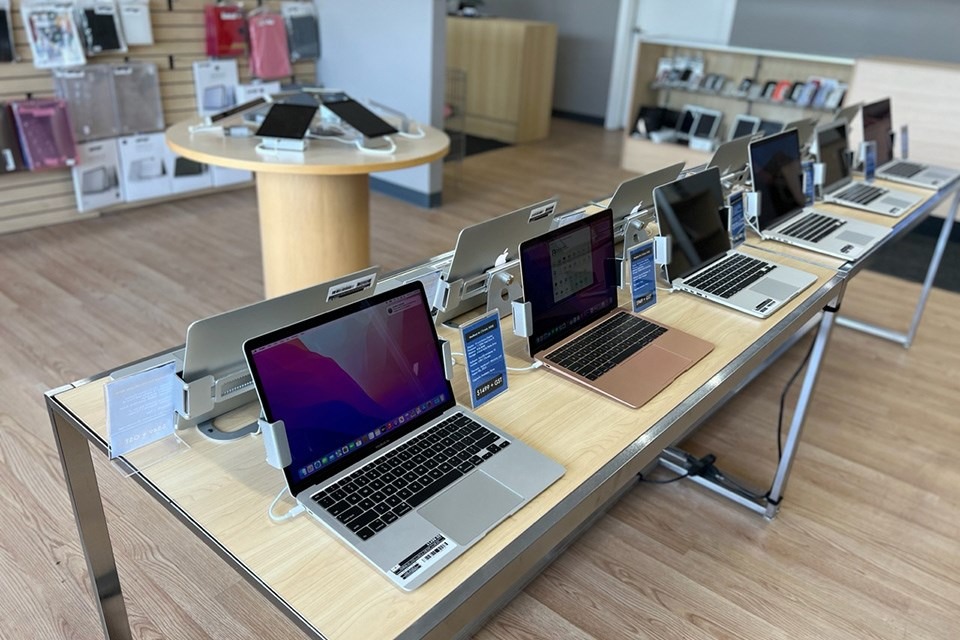
Not only that, Macs from 2012 onward get memory and SSD upgrades that breathe years of additional life into machines Apple has long since written off. The shop’s positioning is clear as day: they’re the true Apple specialists in the region, and they’ve been voted Reader’s Choice for it.
A separate division provides on-site, remote, and 1-on-1 tech support, including dedicated business support contracts billed monthly through Stripe subscriptions. They also sell new, used, and consigned Apple gear online and in-store and operate as an authorized Lenovo and Otterbox reseller.
The Challenge
Before RepairDesk, One Bite Technology ran on RepairShopr. It worked, but Jeff came to realize that it wasn’t scalable.
- The POS screen and ticket workflows weren’t built for staff training. As soon as the business outgrew a one-person operation, that became a problem.
- The pricing model forced labor and parts to be broken out on every ticket, creating friction at checkout and inconsistency between technicians.
- Inventory syncing between the shop and the e-commerce site was unreliable, and the system didn’t handle variant products at all, a deal-breaker for a shop selling MacBooks across multiple memory, storage, and grade configurations.
- There was no built-in way to handle the workflows Jeff actually needed: PC diagnostic spec capture, ticket-aware appointment management, and automated daily financial reporting.
- Bug fixes from the previous vendor were slow. Jeff had spent enough time in the POS industry to know the difference between a software company that responds and one that doesn’t.
Jeff started evaluating RepairDesk in late 2019. By early 2020, just before opening the first retail storefront, he made the switch.
The Solution: Going All-in on RepairDesk
Switching to RepairDesk solved every one of those problems, and then some. Jeff was happy enough to go a step further and put his experience on camera. Here’s his walkthrough for fellow shop owners on RepairShopr, thinking about making the same switch:
By Jeff’s own estimate, One Bite Technology uses 90 to 95 percent of everything RepairDesk offers. But what makes them a true power user isn’t just adoption. It’s what Jeff has built on top of the platform using the RepairDesk API. Here’s how the operation runs:
Repair Ticketing & Workflow Management
- Every device that comes through the door, a Mac, PC, phone, tablet, robot vacuum, or key fob, gets a ticket in RepairDesk.
- Custom statuses keep work moving in a predictable order, and a quality-control gate ensures that no ticket closes without verification.
- Customers sign intake terms digitally on the customer-facing screen for every ticket, which Jeff credits with saving the business in dispute situations more than once.
Integrated Phone System
Every incoming call surfaces the customer’s name, ticket history, and active repairs on screen before the call is even answered. Recorded calls are linked back to the ticket for note-taking and dispute reference. Jeff calls RepairDesk’s Phone System one of the most effective features in the entire platform.
POS, Payments & Stripe Subscriptions
The front desk runs every transaction through RepairDesk’s POS. Stripe handles card payments, and One Bite Technology uses the subscriptions feature to bill recurring monthly fees for its business support customers. A clean, automated revenue stream that didn’t exist before.
Customer Portal
Used heavily by their B2B clients, including a local school board’s IT department, to view tickets, approve estimates for hardware repairs, and pay invoices online without phone tag.
Trade-In & Consignment Workflow
The trade-in module doubles as One Bite Technology’s consignment intake system. Customers sign the consignment terms on the customer-facing screen, the device is booked in, a consignment fee is invoiced, and the customer is paid out cleanly when the item sells. The same digital signature flow runs on every regular ticket, too.
Print Node & Automated Labels
All shop labels print automatically through Print Node and a few direct printer connections, eliminating manual label work across the entire bench.
Customer Communication & Reviews
RepairDesk’s automated SMS and email keep customers updated through every status change.
“Post-pickup review requests go out automatically, and the volume of Google reviews this generates has been one of the most measurable wins for us,” says Jeff.
Migration
“The transition itself was painless. The RepairDesk sales rep handled the bulk of the customer and product migration directly, and the old ticket history came across intact,” says Jeff.
When moving to RepairDesk, the biggest uplift for the business wasn’t technical. It was the strategic choice Jeff made during the move to shift from a labor-plus-parts pricing model to flat-rate service pricing, with parts cost absorbed internally. That was a business decision, not a system limitation, but it represented the bulk of the migration work.
Custom Apps Built on the RepairDesk API
PC Auto-Spec Tool
Building off an app provided by another RepairDesk user, Jeff further developed a standalone application that runs on any PC checked in for service. The app captures full system specs, runs basic software diagnostics, monitors CPU temperatures, runs a keyboard test, checks drive health via SMART data, and benchmarks read/write speeds.
After verifying the ticket number, the app pushes everything directly into the RepairDesk ticket via the API. A diagnostic process that used to take a technician up to 30 minutes of manual entry now takes about 15 seconds of attention plus five minutes of unattended runtime.
Ticket & Appointment Manager
Built as an evolution of the standard RepairDesk ticket dashboard, this app pulls in every active ticket with customizable columns, highlights priority (rush) jobs, and enforces movement through quality control before close-out.
The bolted-on appointment calendar pulls scheduled tickets directly from RepairDesk and audibly announces upcoming appointments, a small touch that has eliminated missed appointments at the shop entirely.
Owner’s Dashboard
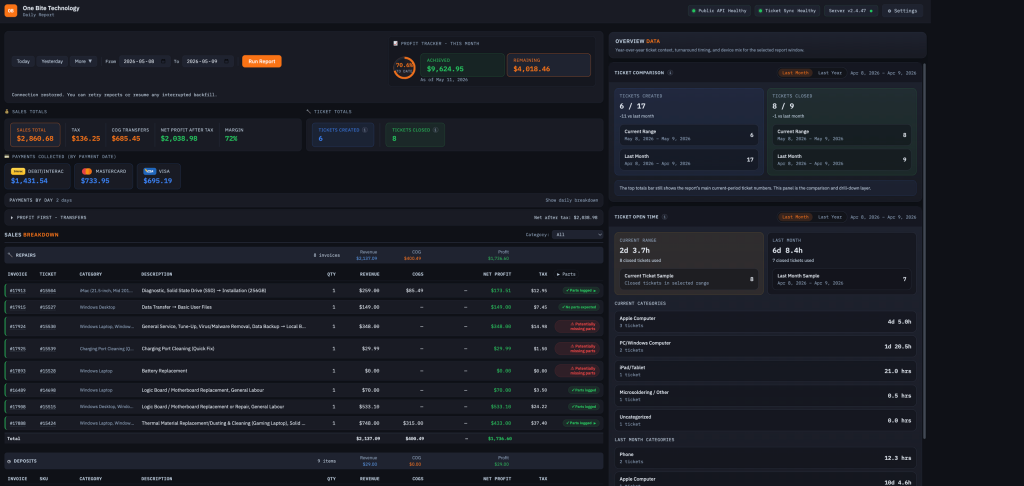
The five daily reports Jeff used to run manually in RepairDesk now run themselves. The Owner’s Dashboard pulls invoiced ticket data, breaks down consumed parts (and flags any that look like they were missed off a ticket), and calculates daily payment totals.
It’s also wired into the Profit First methodology, automatically segregating the cost of goods and triggering daily transfers across separate operating, payroll, and parts bank accounts.
Inventory Control Center (In Active Development)
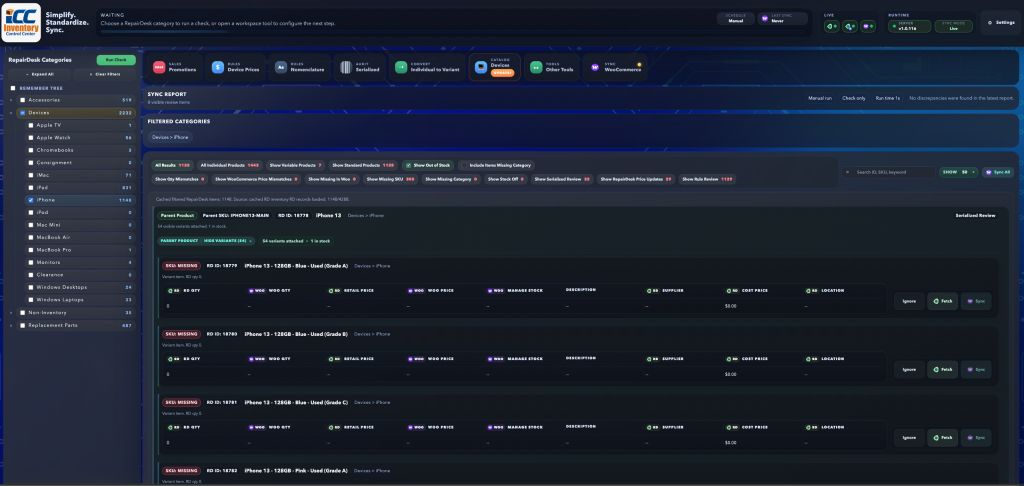
Jeff’s most ambitious build, the Inventory Control Center, reconciles inventory, pricing, and naming conventions between RepairDesk and One Bite’s WooCommerce store, including full support for variant products. It compares on-hand quantities and prices in both systems and lets Jeff fix discrepancies with a single click. Moreover, a built-in price guide automates retail pricing rules across device grades and storage capacities and updates both variant and serialized prices in RepairDesk simultaneously.
The ICC also flags for missing SKU, missing category, inventory title/description that doesn’t meet naming convention rules, Qty mismatch between “On Hand” and the number of serial numbers available in a serialized product, and more.
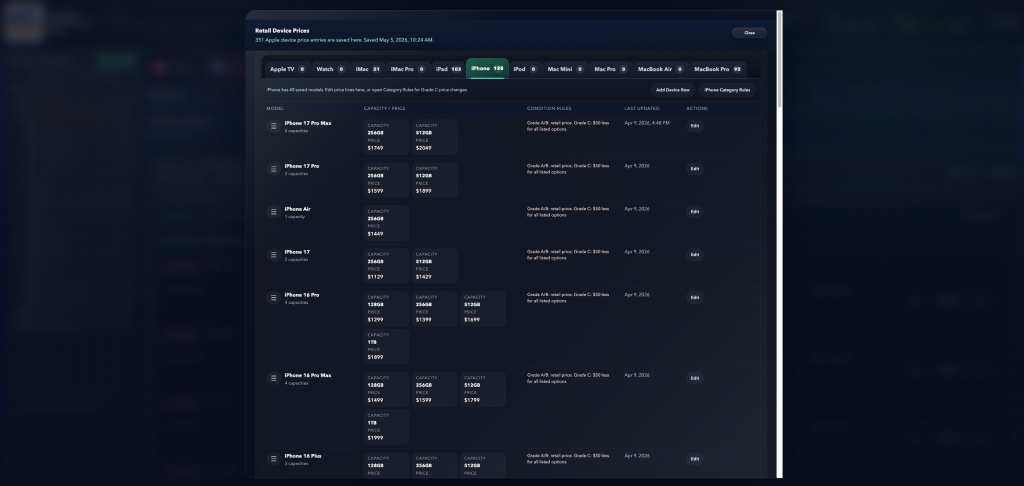
The final stage being tested is the “Promotions” function, which will allow products and categories to have a promotional price applied en masse. The promotion applies to RepairDesk standard products, variants, and serialized items, as well as online in WooCommerce.
Imagine category-level promos (e.g., 10% off all iPhones) that apply to variant price, serialized price, and WooCommerce sale price in one action, then automatically reverse at the end date.
Customer Notification
RepairDesk fires automated SMS and email when the device is ready. Phone System handles any inbound call with full customer context already on screen. Not only that, but a review request is also sent to the customer after an invoice is closed.
Pickup, Payment & Reporting
Payments are processed through Stripe (integrated), Square (non-integrated), Moneris (non-integrated), eBay payments, and a few others. Custom, non-integrated payment methods are easily added in the RepairDesk settings.
The Owner’s Dashboard captures the transactions overnight, displays each payment method for easy auditing, segregates the cost of goods in different categories specified by the app settings, and displays Profit First bank transfer amounts ready for easy copy & paste.
How a Repair Flows at One Bite Technology
A typical PC repair at One Bite is fully automated end-to-end, with RepairDesk and Jeff’s custom layer working together:
Customer Intake
Customer drops off the device. The front desk creates a ticket in RepairDesk, captures the issue, and the customer signs the intake terms on the customer-facing screen.
Auto-Spec Capture
The PC Auto-Spec app runs on the device. Specs, diagnostics, drive health, and read/write benchmarks are captured and pushed straight into the RepairDesk ticket via the API. It takes only 15 seconds of attention instead of 30 minutes.
Ticket Assignment
The Ticket & Appointment Manager surfaces the new job alongside priority flags and current workload. The technician picks it up.
Repair & Parts
Parts are pulled from inventory and automatically deducted in RepairDesk. The repair is performed and logged in the ticket.
Quality Control
The custom app enforces a QC status before the ticket can close. Nothing leaves the bench unverified.
Customer Notification
RepairDesk fires automated SMS and email when the device is ready. Phone System handles any inbound call with full customer context already on screen.
Pickup, Payment & Reporting
Payment runs through the integrated POS or Stripe. The Owner’s Dashboard captures the transaction overnight, segregates the cost of goods, and triggers Profit First bank transfers automatically. A review request goes out the next day.
The Results
Six years and four custom apps later, the impact across One Bite Technology is hard to overstate:
Massive Throughput Gains on PC Diagnostics
The PC Auto-Spec app alone collapsed the diagnostic intake process from up to 30 minutes per machine down to about 15 seconds of technician time. Multiplied across the volume of PCs, One Bite Technology now sees this as a transformative win on labor cost and bench capacity.
Zero Missed Appointments
The audible-announcement appointment calendar in the custom ticket manager has eliminated missed appointments at the shop. Customers show up; the team is ready.
Automated Daily Financial Operations
The Owner’s Dashboard runs five reports automatically every day, segregates the cost of goods, and triggers Profit First bank transfers across operating, payroll, and parts accounts, without Jeff touching a thing.
Faster Turnaround, Higher Throughput, Higher Ticket Value
Customizable workflows and statuses keep work moving predictably. Jeff has seen measurable improvements in turnaround, throughput, and average ticket value since adopting RepairDesk.
Bug Fixes That Actually Ship
“The speed at which RepairDesk fixes bugs is honestly unmatched in this industry. I’ve worked in POS software before; I know how slow vendors can be. With RepairDesk, things actually get fixed.“
— Jeff Baker, Founder, One Bite Technology
As a former POS industry insider, Jeff says RepairDesk’s responsiveness on bug fixes is the fastest he’s ever experienced from a software vendor. That responsiveness is what made him comfortable building four custom apps on top of the API in the first place.
Looking Ahead
Jeff isn’t done with automations in RepairDesk. The Inventory Control Center is still expanding, and full automation of WooCommerce sync is on the roadmap. The promotion module Jeff is prototyping (category-level promos that apply to variant pricing, serialized pricing, and WooCommerce simultaneously, then auto-reverse at the end date) is something he hopes to eventually see baked into RepairDesk itself.
For other repair shop owners, Jeff’s advice is simple: stop fighting your software. Pick a platform with an API that respects you, a team that ships fixes fast, and the depth to handle every part of your business. Then build whatever else you need on top of it.
“RepairDesk runs about 90 to 95 percent of our business out of the box. The other 5 to 10 percent, I built myself, on their API. That’s the part most software vendors don’t let you do. RepairDesk does, and that’s why we’ve been on it for six years and aren’t going anywhere.“
— Jeff Baker, Founder, One Bite Technology


